1
Click File
Open the File menu.
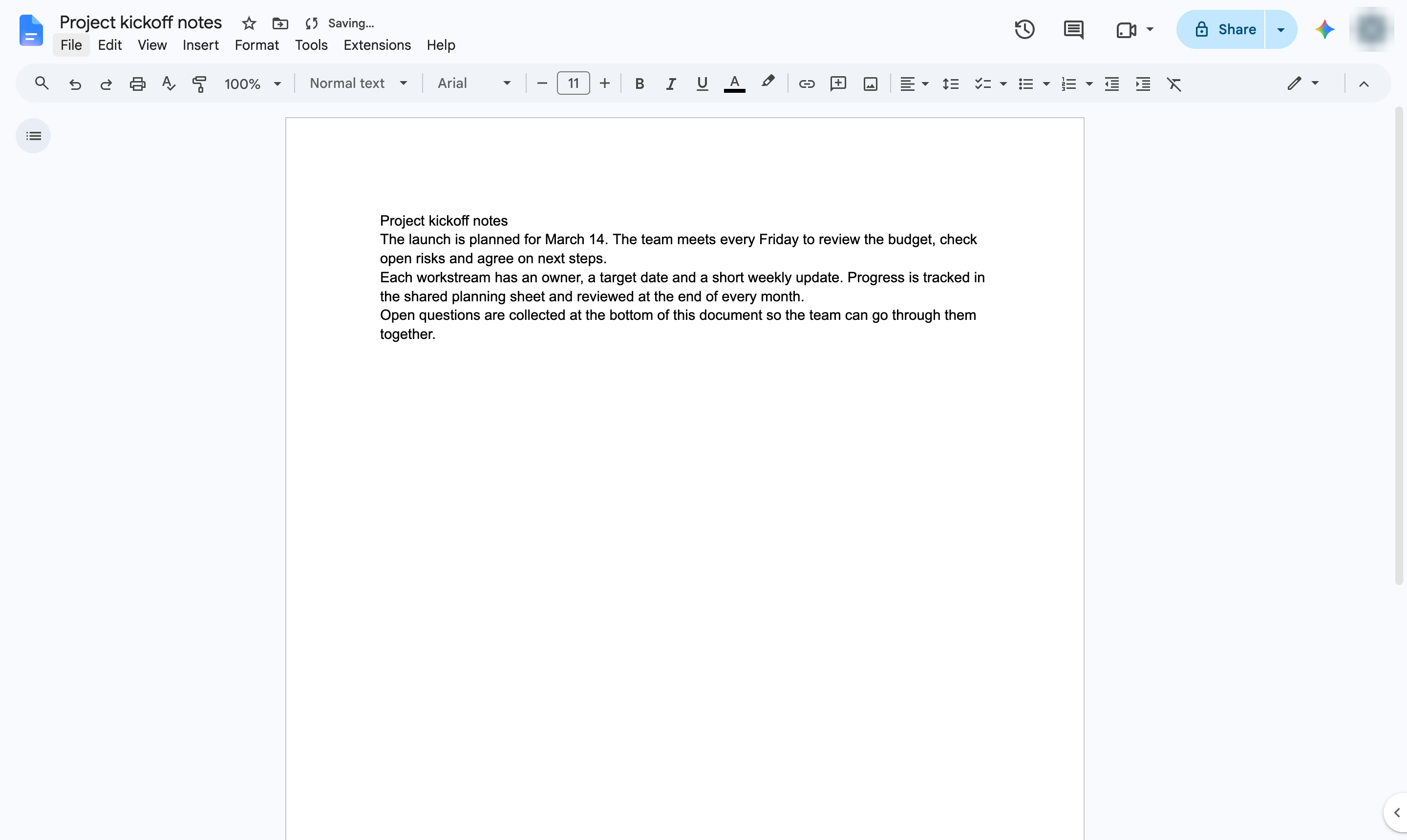

Make a copy of a document - with its formatting and, if you like, its comments.
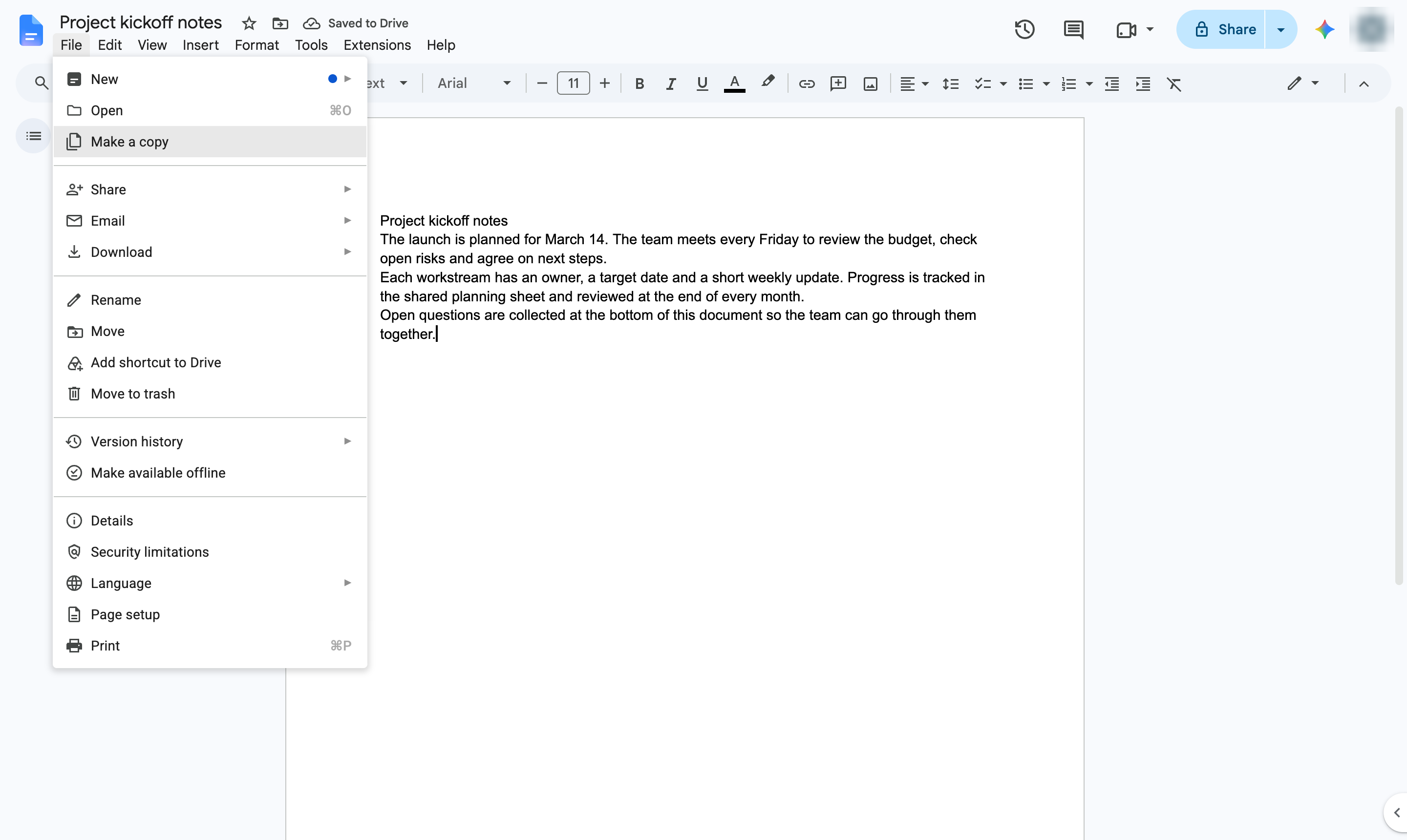
Open the File menu.
Choose Make a copy.
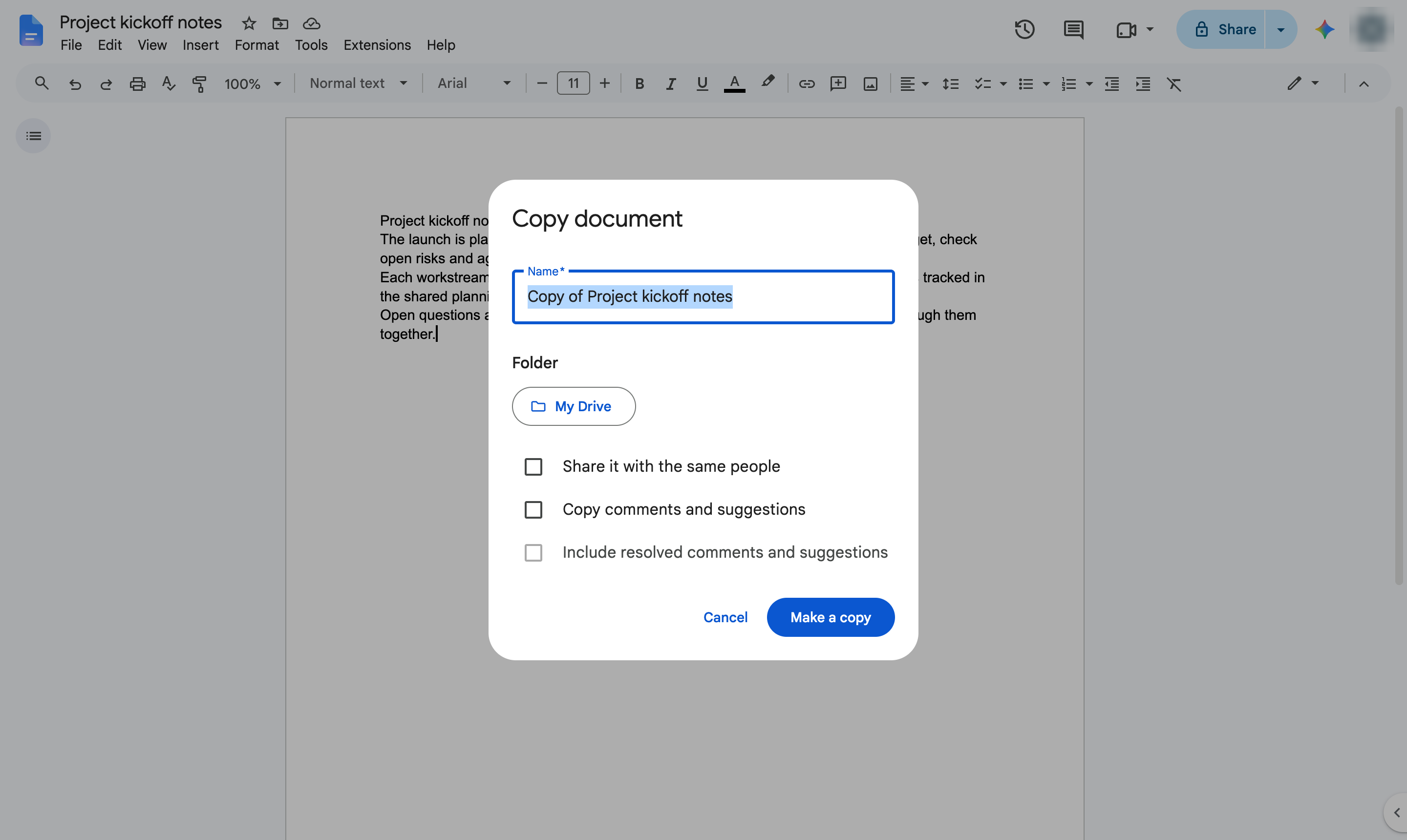
Click the Name box. Type a name for the copy.
Click Make a copy. It is saved to the folder shown and opens in a new tab.
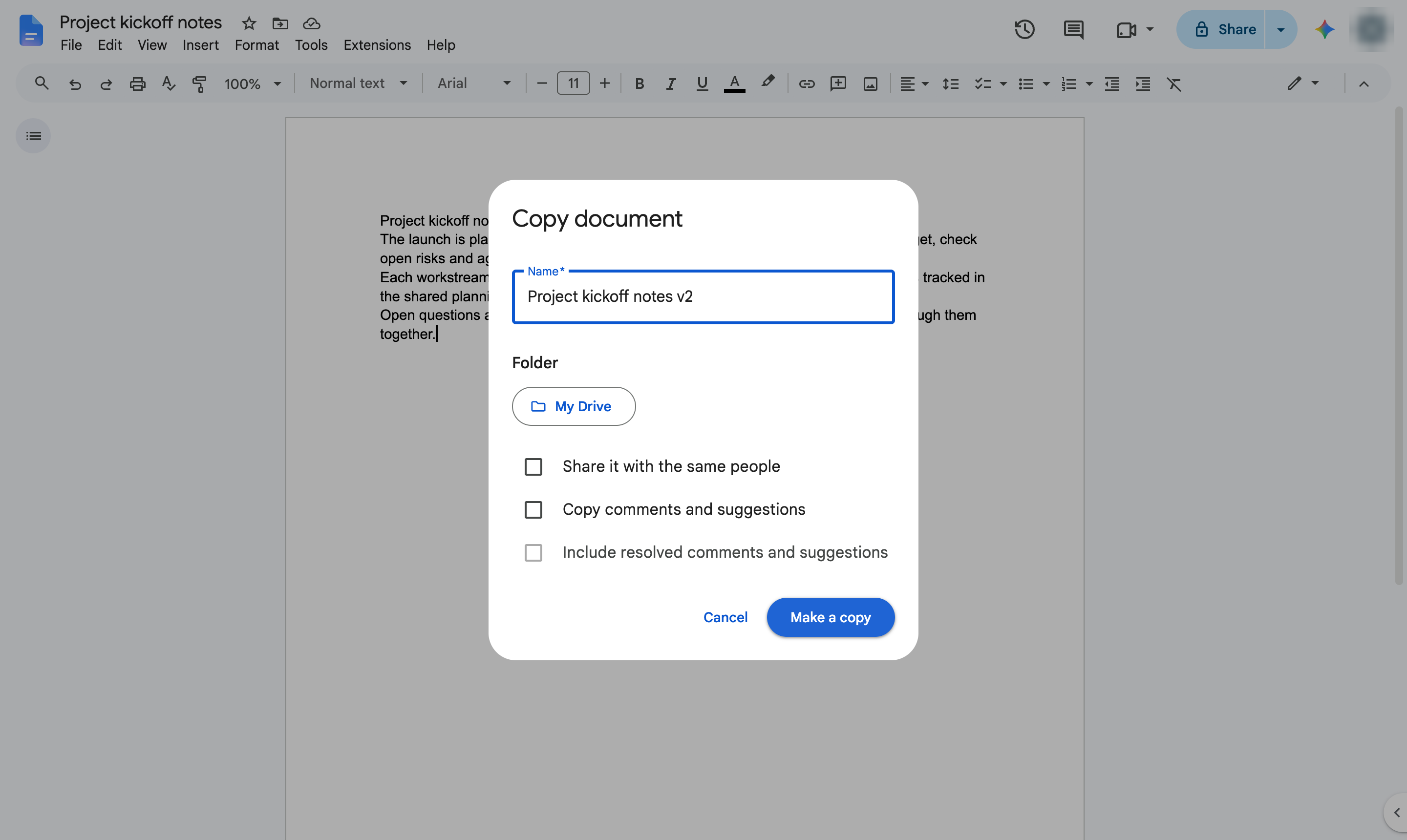
The copy opens in a new tab and is saved in Drive under the new name.
Duplicate this template, swap in your own screens, and share it with your team. Free to start — no credit card.
Fill out the form and we'll get back to you as soon as possible.
Tell us about your team and we'll find the right plan together.