1
Open Gmail
Sign in to your Gmail account and open your inbox.
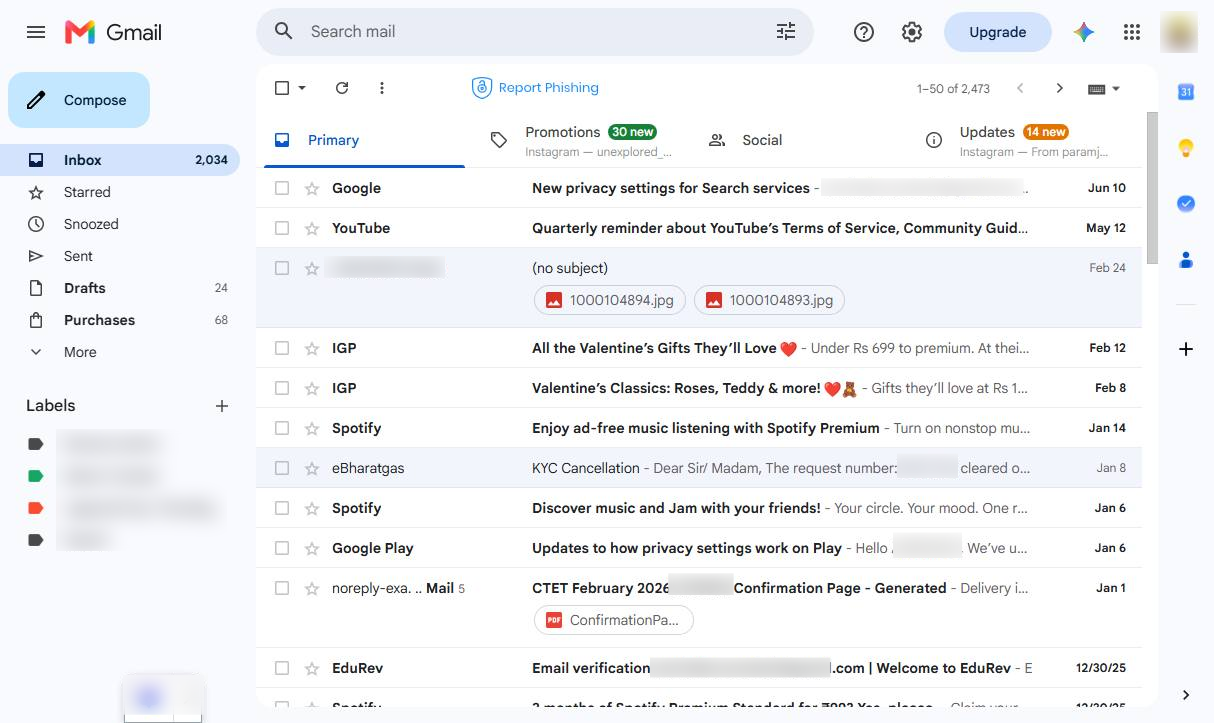

Learn how to block unwanted email addresses in Gmail to stop receiving messages from specific senders.
Sign in to your Gmail account and open your inbox.
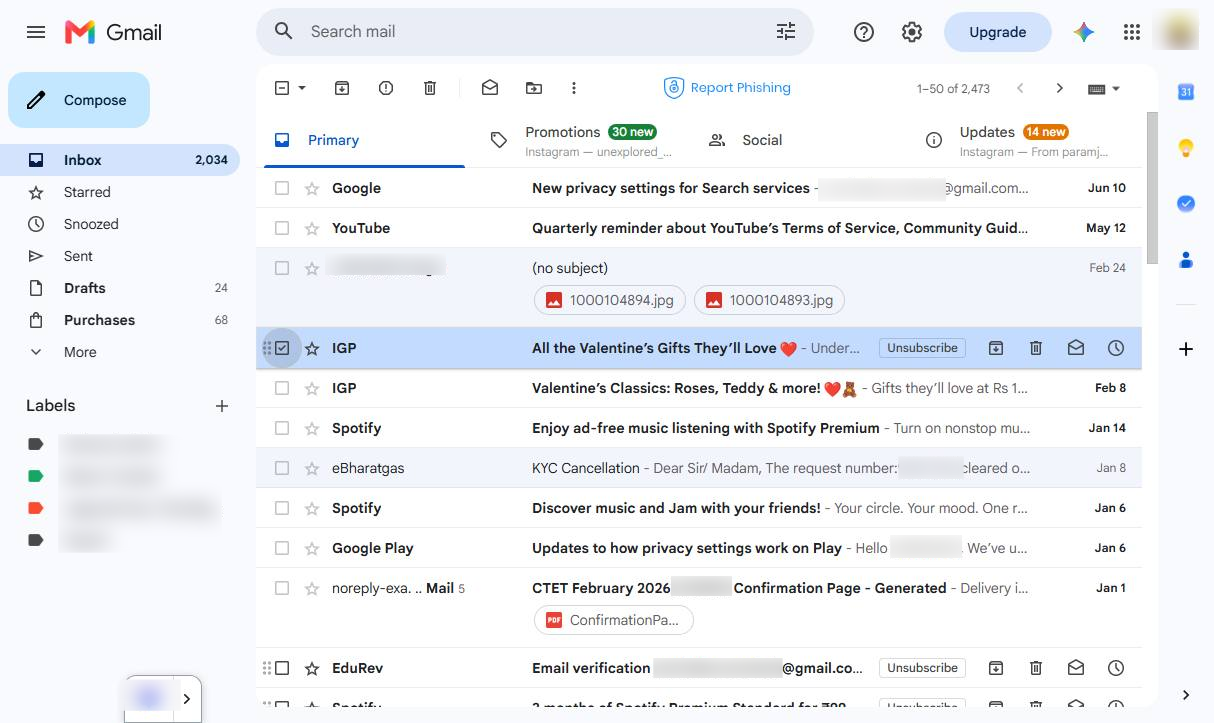
Select an email from the sender you want to block.
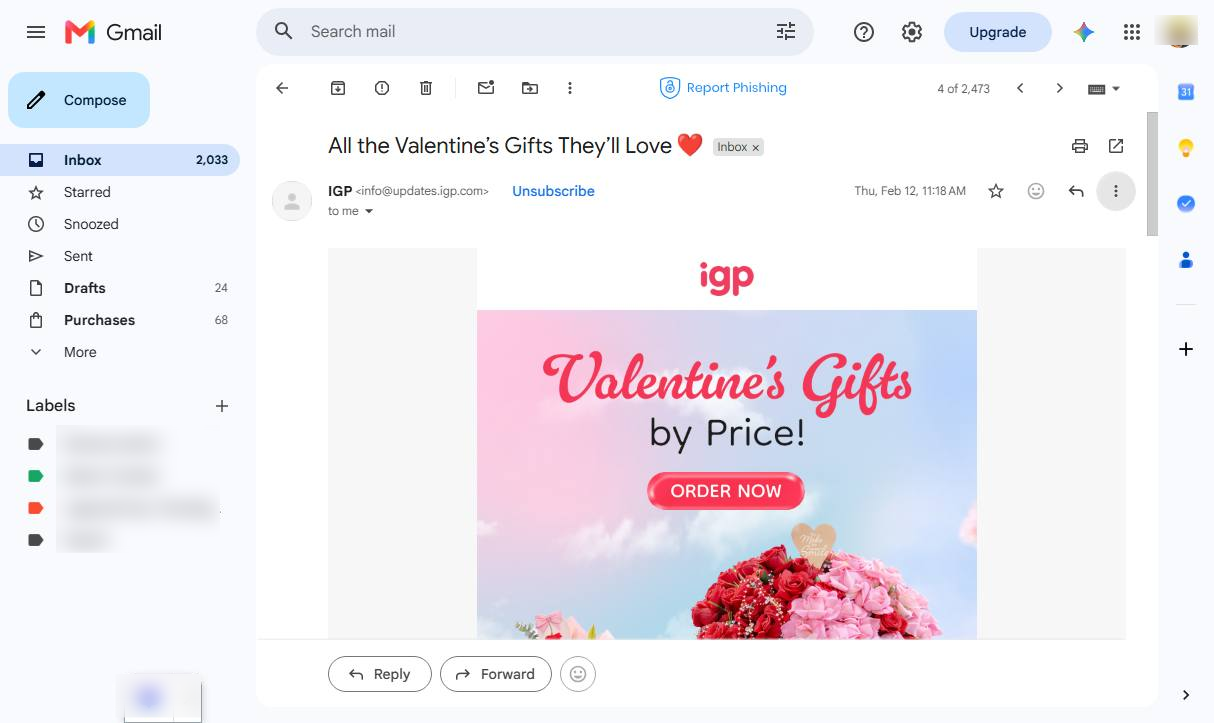
Click the three-dot menu next to the sender’s name or in the email header.
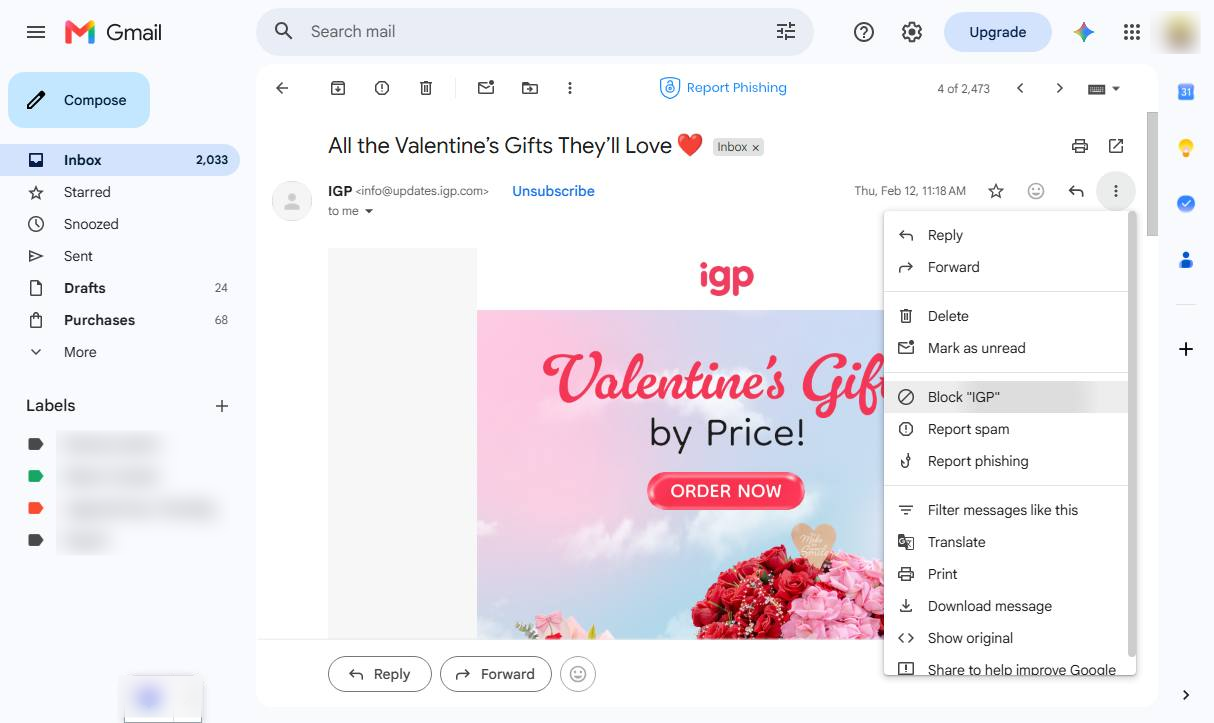
Choose Block [sender’s name/email address] from the menu.
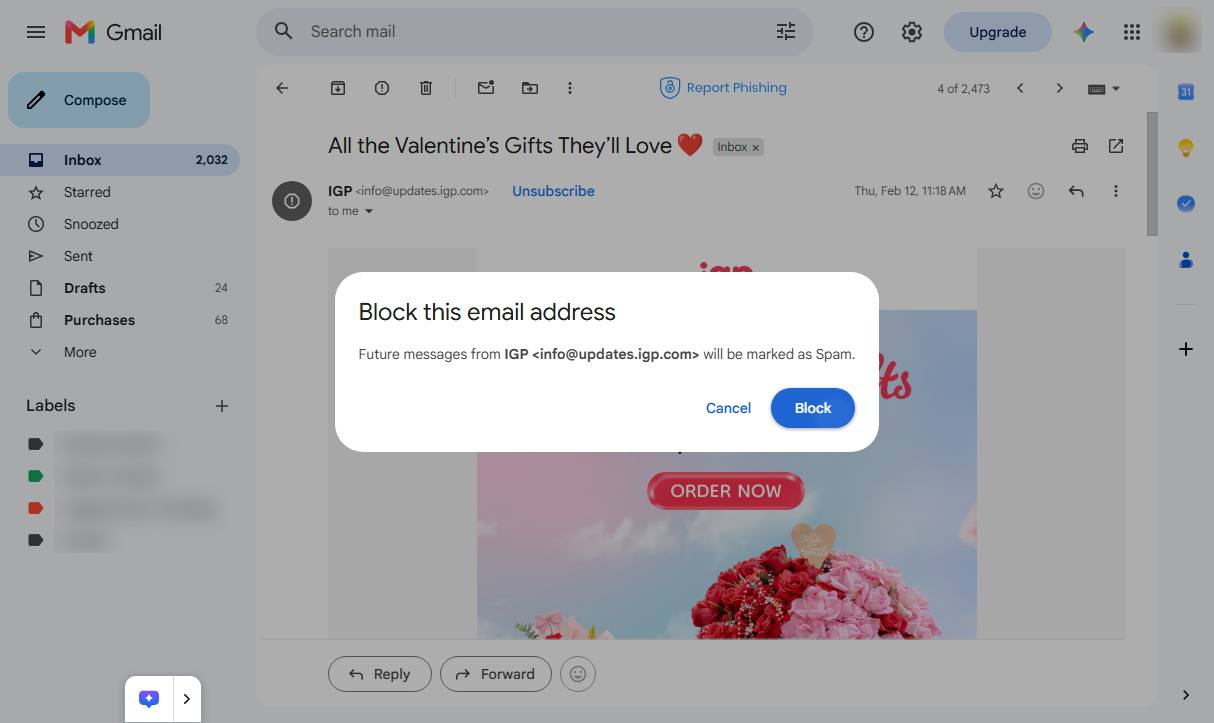
Click the "Block" button in the confirmation modal to block the email address and mark future messages as spam.
Duplicate this template, swap in your own screens, and share it with your team. Free to start — no credit card.
Fill out the form and we'll get back to you as soon as possible.
Tell us about your team and we'll find the right plan together.