1
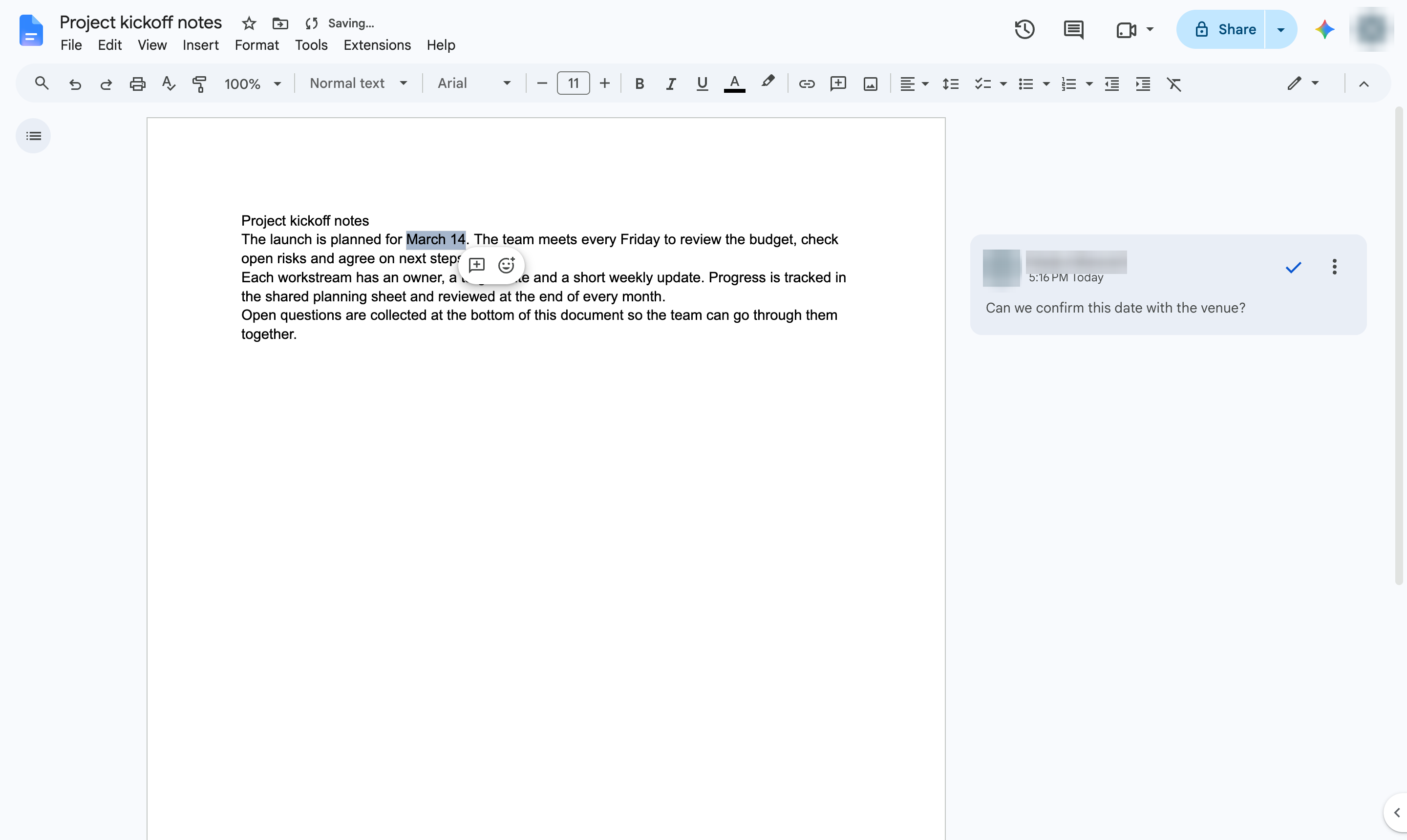
Select the text to comment on
Highlight the words your comment is about.
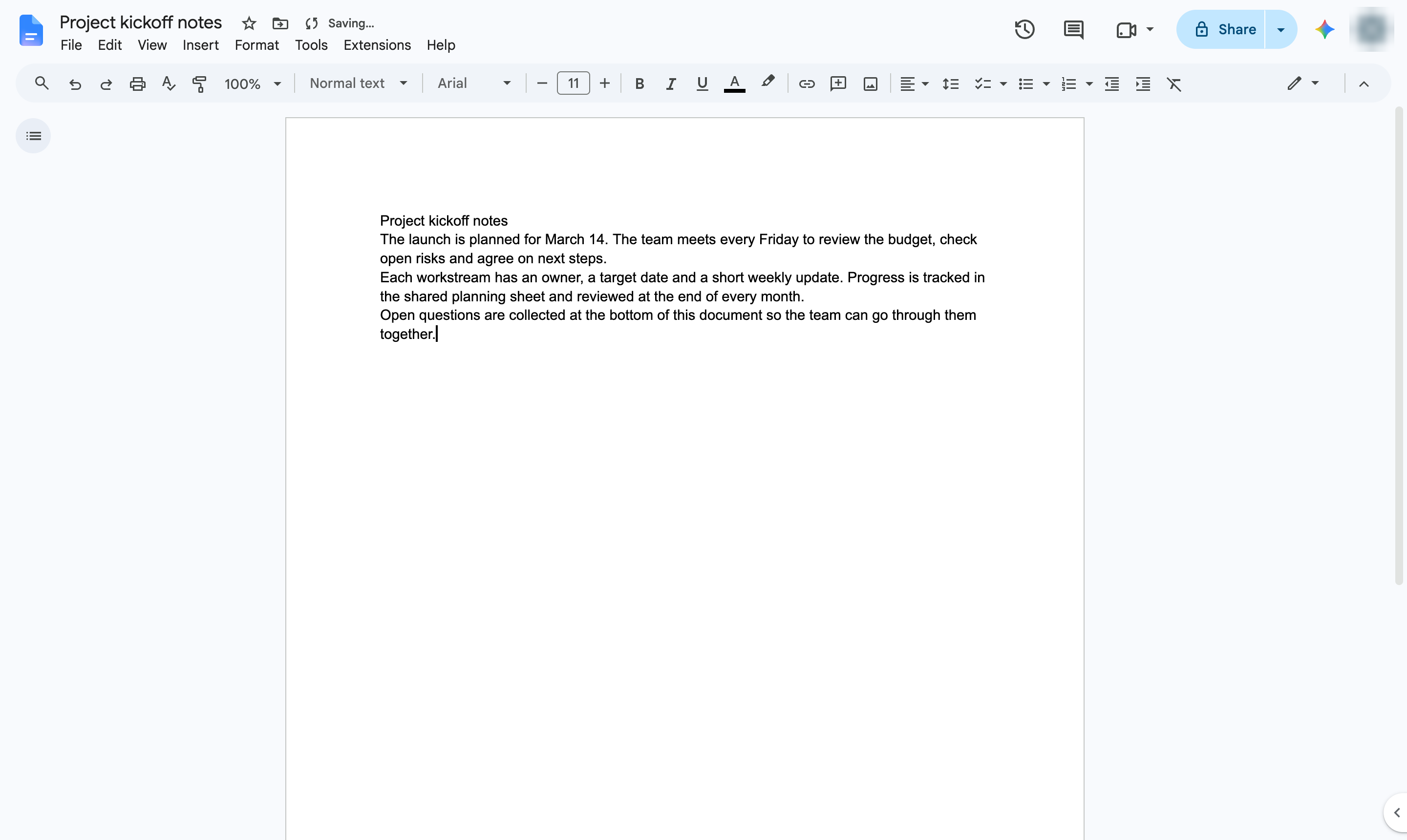

Leave a comment on a word or passage so collaborators can reply or resolve it.
Highlight the words your comment is about.
Open the Insert menu.
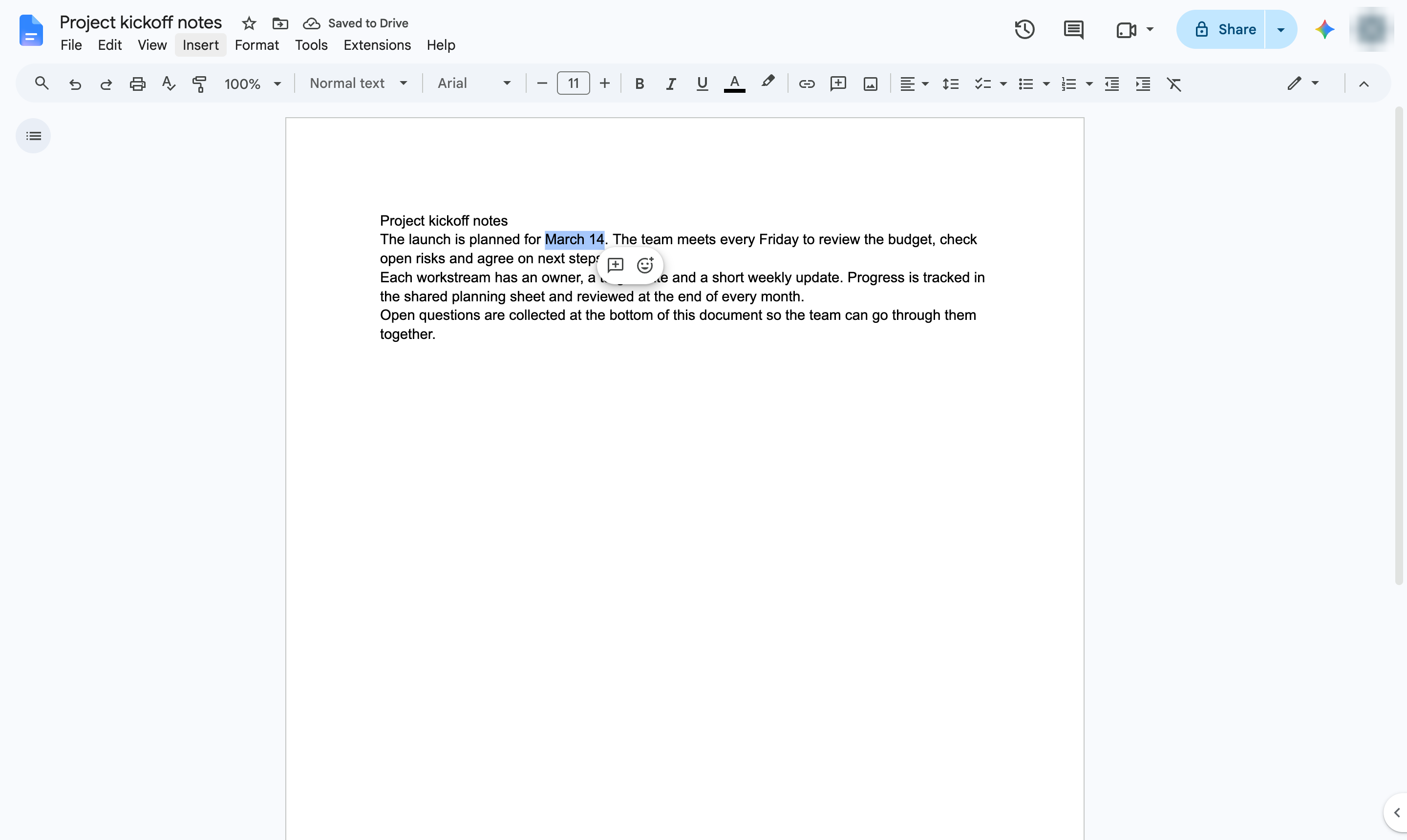
Choose Comment. Shortcut: Ctrl + Alt + M (Cmd + Option + M on Mac). Type your comment. Add + and an email address to assign it to someone.
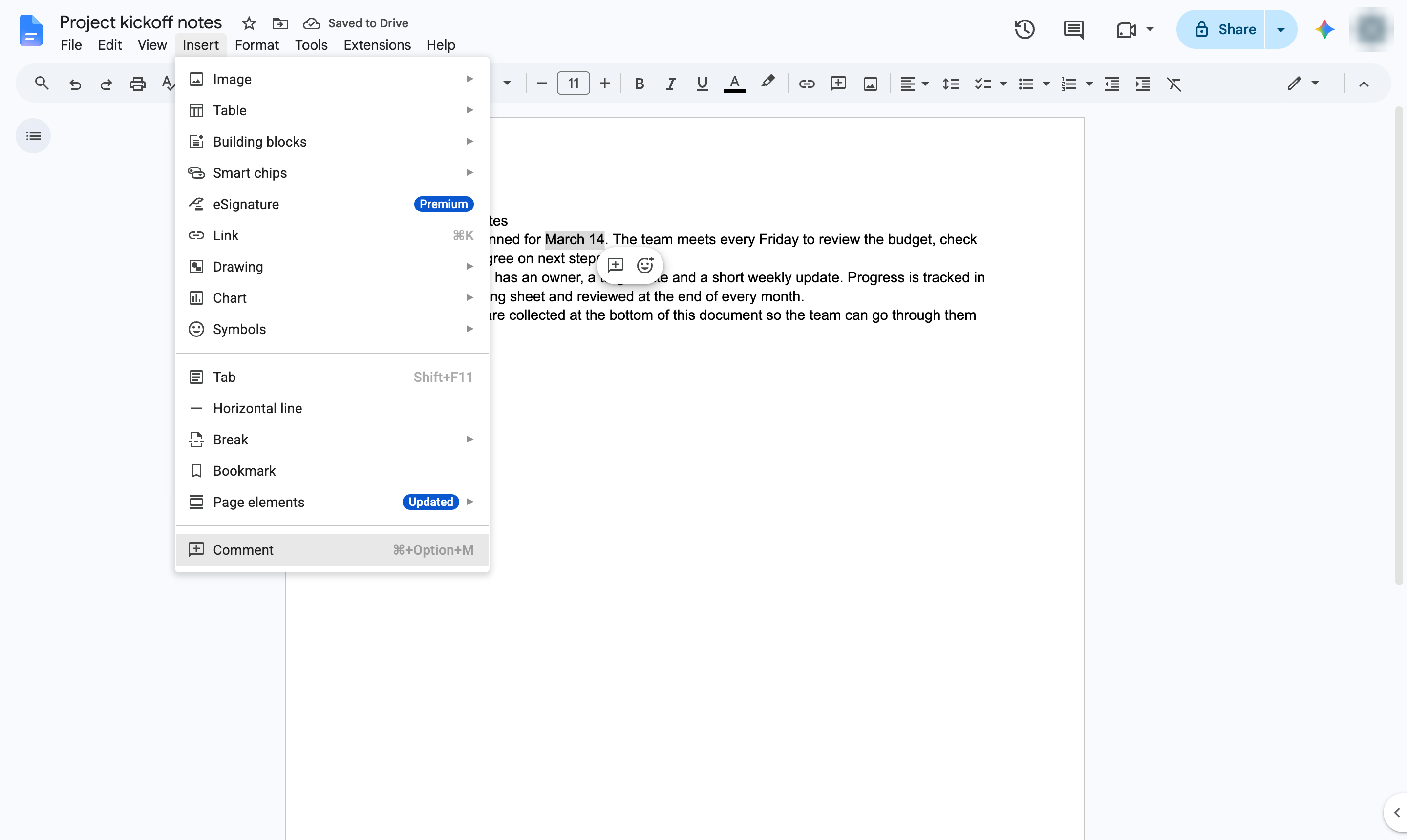
Post the comment.
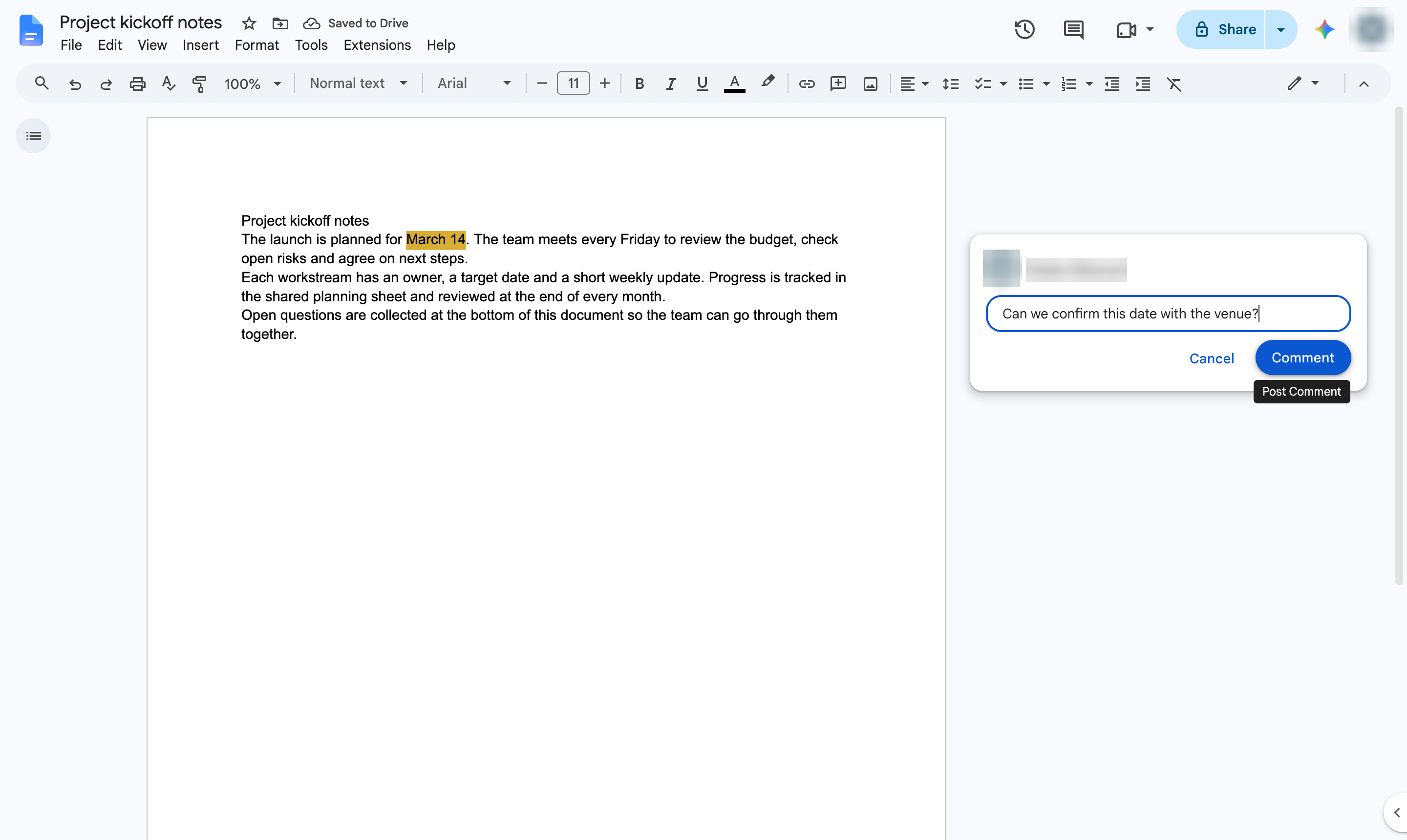
The comment shows in the margin next to the highlighted text. Others can reply to it or mark it as resolved.
Duplicate this template, swap in your own screens, and share it with your team. Free to start — no credit card.
Fill out the form and we'll get back to you as soon as possible.
Tell us about your team and we'll find the right plan together.