1
Click here
Click here
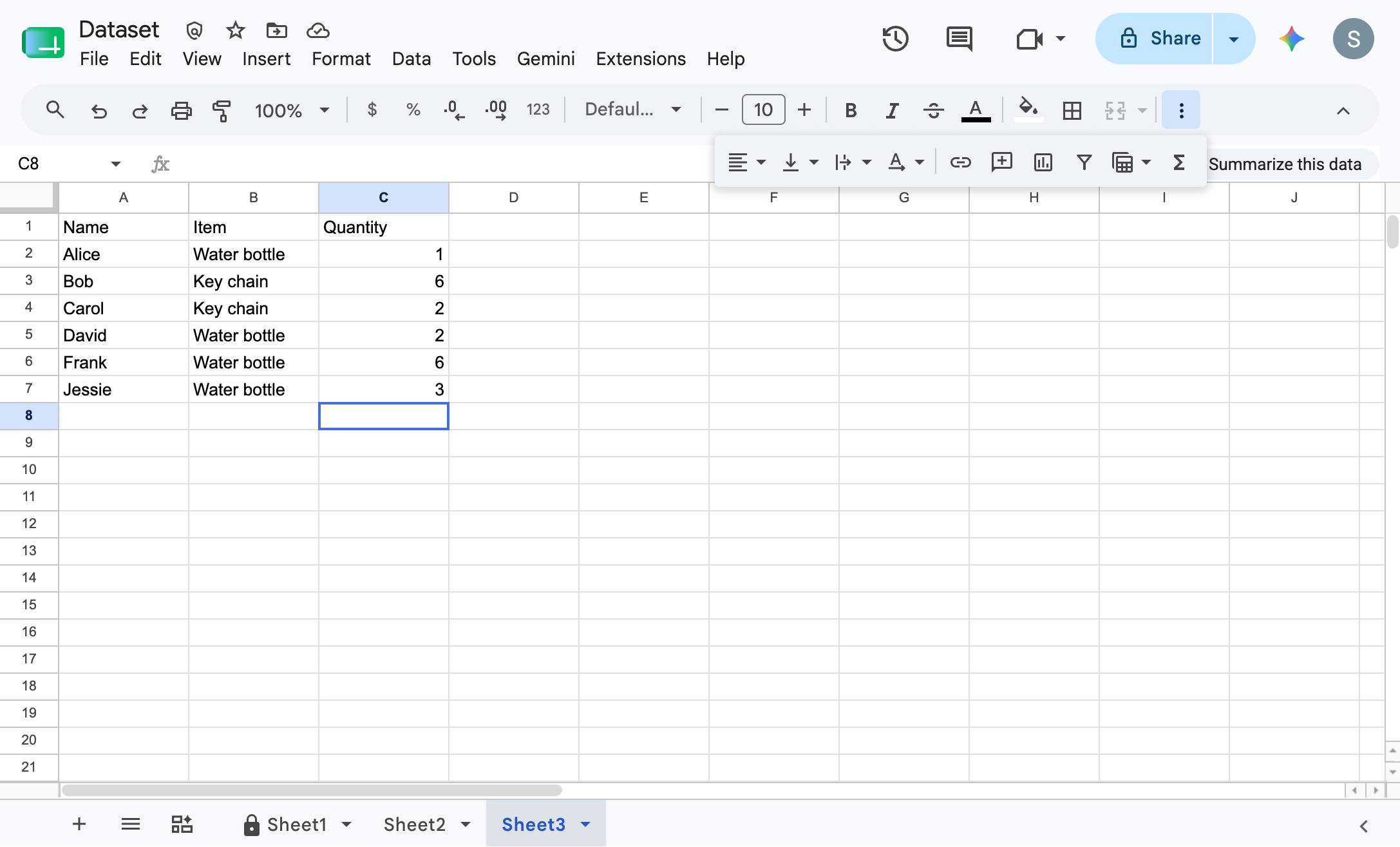

How to use the sum function in Google Sheets
Click here
Press Cmd + ↑
Press Cmd + ↓ and Select the entire column you want to sum
Click the Functions button in the top toolbar to open the list of available formulas.
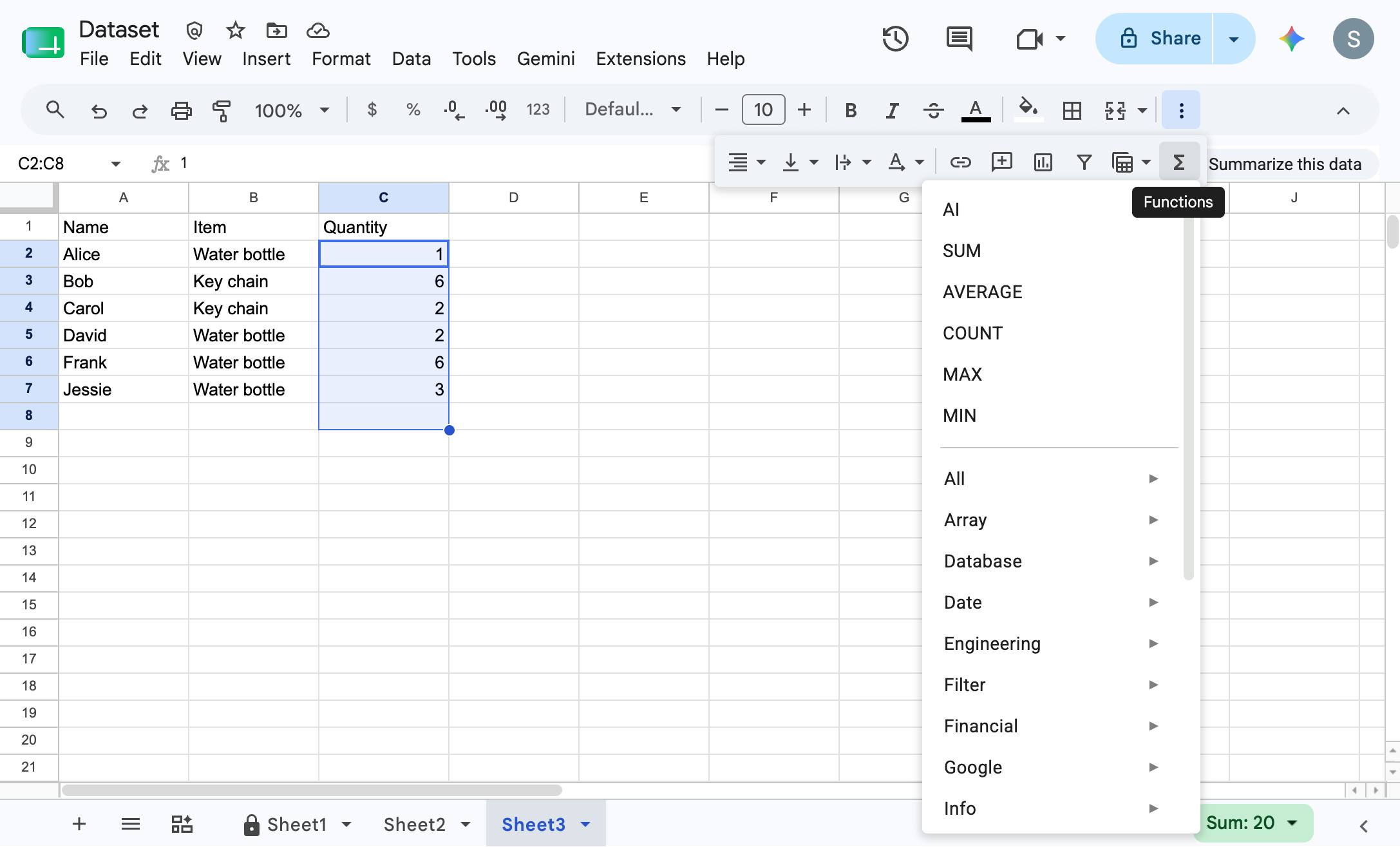
Click "SUM" from the functions dropdown menu to calculate the total of the selected cells.
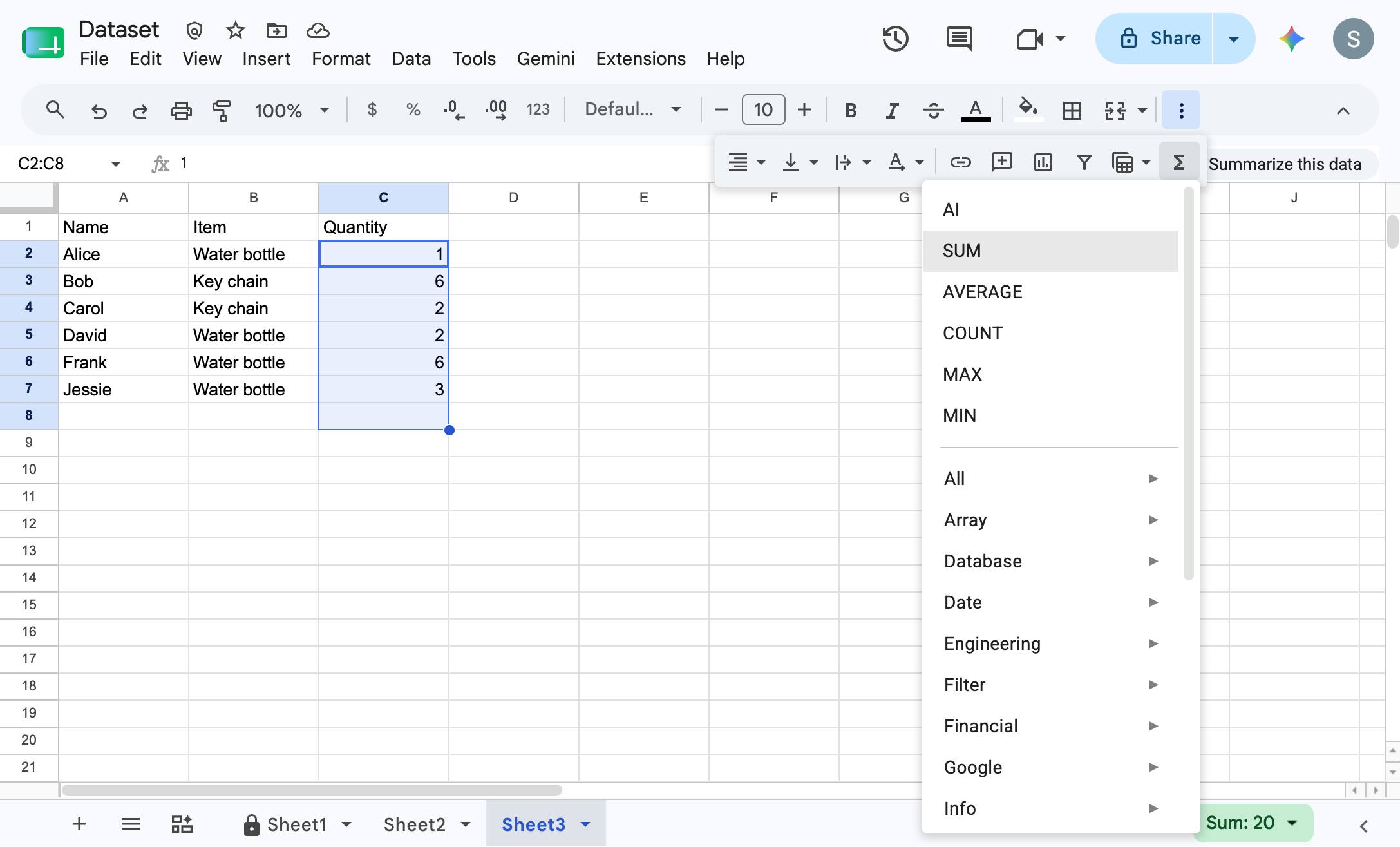
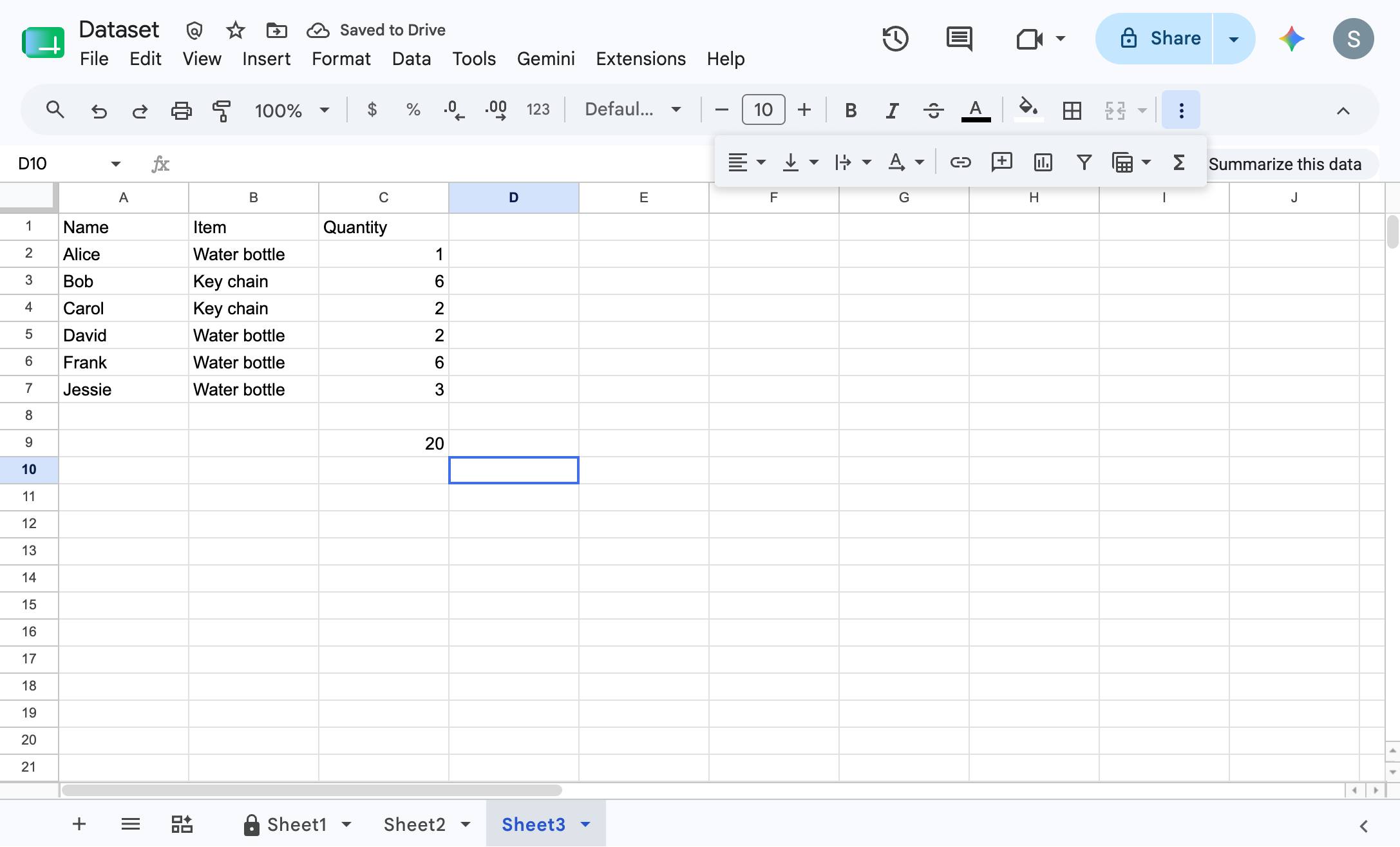
Press Enter
There you go - your data is summed!
Duplicate this template, swap in your own screens, and share it with your team. Free to start — no credit card.
Fill out the form and we'll get back to you as soon as possible.
Tell us about your team and we'll find the right plan together.