Most standard operating procedures are already aging by the time the second person reads them. That usually isn't because someone was careless. It's because the SOP was built around a specific UI: screenshots of specific screens, instructions tied to specific button names, and steps written around how the tool looked that day.
Then the tool changes. A button moves. A label gets renamed. A workflow adds one more approval step. Six months later, the screenshots are wrong, the labels don't match, and the new hire who was supposed to follow the SOP gives up halfway through. The fix is not to write fewer SOPs. It is to write SOPs around patterns that hold their shape when the UI changes.
After reviewing SOP libraries across ops, IT, HR, and customer support teams, the same patterns show up in documents that stay useful for years. The same anti-patterns show up in documents that decay within a quarter. This guide covers 12 SOP patterns you can use in your own template so you stop rewriting documentation every time a vendor ships a redesign.
Key takeaways
- A standard operating procedure template is a reusable structure for documenting recurring work. Most templates fail because they are organized around screens instead of stable concepts like decisions, outcomes, roles, and state.
- Twelve UI-stable patterns show up in SOPs that stay useful over time. Six are structural, shaping how the SOP is organized. Six are operational, shaping how the SOP handles ownership, state, exceptions, and time.
- The most expensive SOP mistake is screenshot-anchored prose. When the UI changes, every screenshot starts to work against the document.
- An SOP template is not the same thing as an SOP format. Format is the container: Word, Excel, PDF, wiki. Pattern is the structure inside.
- Three or four strong patterns are usually enough. More than five can make the SOP harder to follow than the process itself.
What is a standard operating procedure template?
A standard operating procedure template is a reusable document structure for capturing how a team performs recurring work. It gives every SOP a predictable shape: headings, fields, sections, ownership, steps, exceptions, and review information. That consistency makes the library easier to search, easier to maintain, and easier for readers to trust.
A good SOP template is not just a nice-looking document. It is a structure that survives tool changes. It includes fields an auditor can verify, language a new employee can follow, and sections that still make sense after a UI update. Most off-the-shelf templates fail because they focus on the format, not the structure. They look polished, but they still depend too much on screenshots and exact UI labels. That is why they go stale.
Why most SOP templates go stale
The biggest cause of SOP decay is screenshot-anchored writing.
Someone opens a tool, takes a screenshot, and writes: “Click the green Submit button in the bottom-right corner.”
Then the tool redesigns the page. Submit moves to the top. The button color changes. The label becomes “Save.” Now the SOP is wrong in three ways at once. Worse, the reader has no way to know whether the rest of the document is still accurate.
Other common causes show up again and again:
- Naming drift: the SOP uses a name the tool no longer uses.
- Permission drift: the SOP assumes the reader has access they may no longer have.
- Process drift: the SOP documents a workaround that stopped being necessary months ago.
- Every UI-stable pattern in this guide helps protect against one or more of these problems.
What makes an SOP pattern UI-stable
A pattern is UI-stable when it captures something above the interface layer.
That could be:
- A decision
- An outcome
- A role
- A state condition
- An approval rule
- An audit requirement
- Those things usually outlast UI changes.
- A strong SOP can still include screenshots. The difference is that the SOP does not depend on the screenshot to make sense.
- A useful test: could someone still understand the procedure if the company replaced the underlying tool with a similar one?
- If yes, the pattern is stable. If not, the SOP is glued to the current vendor.
- 12 SOP patterns that survive UI changes
- These patterns split into two groups:
- Structural patterns: how the SOP is organized
- Operational patterns: how the SOP handles ownership, state, time, exceptions, and compliance
- Most strong SOPs combine three or four patterns from both groups.
Structural patterns (how the SOP is organized)
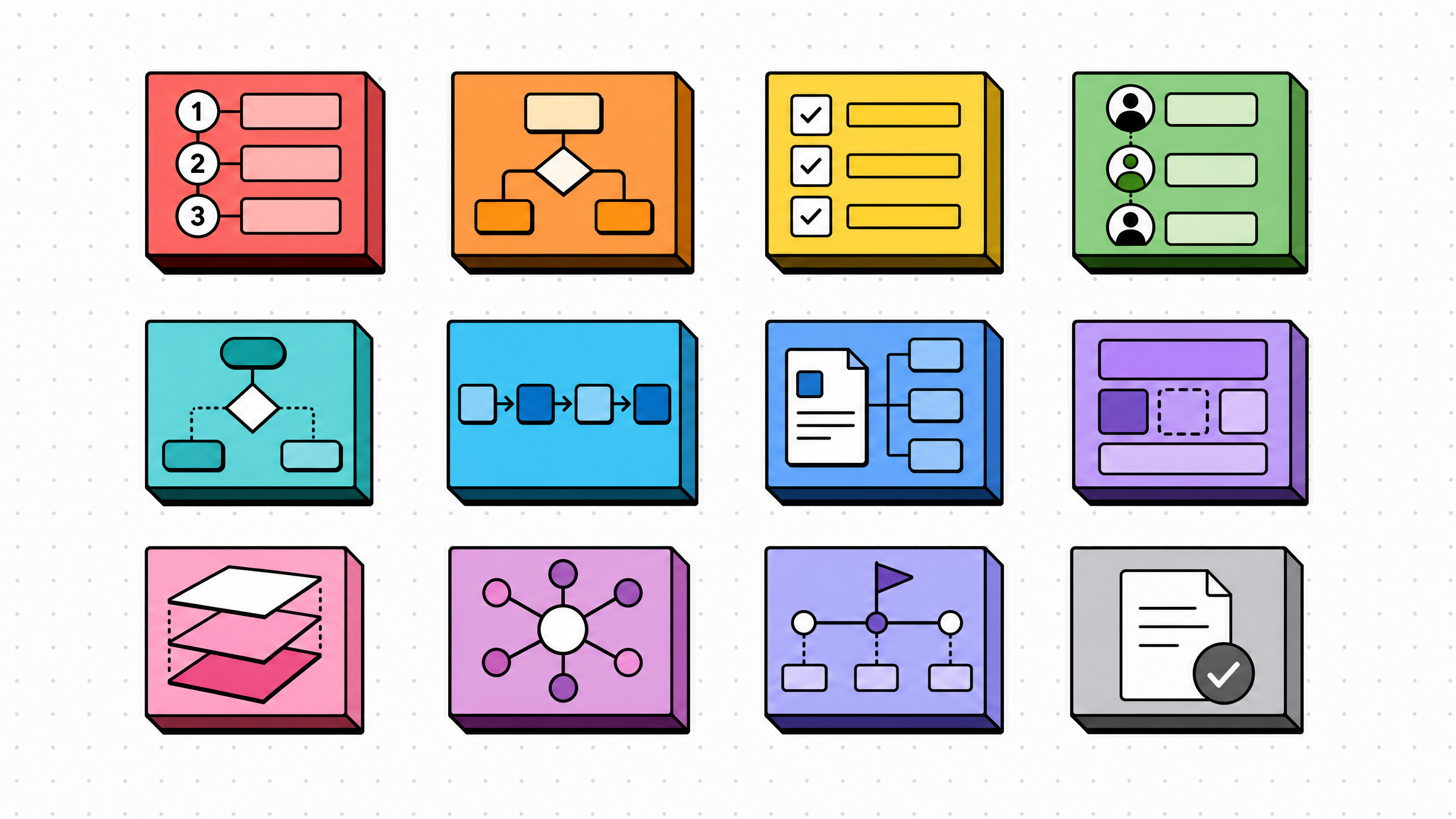
1. Outcome-first pattern
Open the SOP with the input and the expected output, not the first click. "Given a new customer signup email, produce a Salesforce account and an email confirmation within four business hours." The reader knows the destination before the directions, which makes it easier to recover when a step does not match the current UI. Outputs are also auditable, while clicks are not.
2. Decision-tree pattern
Replace linear prose with a branching structure. "If the ticket is from a paying customer, route to Tier 1. If from a free user, route to community Slack. If from press, route to comms." Each branch is a self-contained mini-SOP. Branches are stable because the routing logic comes from policy, not from how the ticketing tool is laid out.
3. Checklist pattern
Flatten a sequence into a list of yes/no checks. "Did the customer sign the contract? Did finance generate the invoice? Did the welcome email send?" Checklists work because they are state-anchored, not UI-anchored. The check itself is the assertion; how the user confirms the assertion is left to whoever is doing the work.
4. Runbook pattern
For incidents and recurring failures, structure the SOP as symptom, diagnostic step, fix, escalation. "Symptom: queue depth above 10,000. Diagnostic step: check whether the consumer process is alive. Fix: restart the consumer. Escalation: page the on-call after two failed restarts." Runbooks survive UI changes because diagnostic steps are usually expressed in terms of system state (logs, queue depth, status code), not screen layout.
5. Pre- and post-condition pattern
Wrap each step in two state assertions. "Before starting: customer has signed contract. After completing: contract appears in the CRM under status 'Signed.'" The conditions are auditable, the path between them is left to the executor. This is the SOP equivalent of a unit test: it specifies the contract, not the implementation.
6. Role-narrative pattern
Write the SOP from the role's perspective, not the tool's. "When the customer success manager receives an at-risk signal, they review the account in the CRM, message the customer in Slack, and schedule a 30-minute health check." The role names ("customer success manager," "at-risk signal," "health check") outlive any specific tool. Even if the CRM and Slack get replaced, the prose still makes sense.
Operational patterns (how the SOP handles state, ownership, and time)
7. Exception-handling pattern
List named failure modes alongside the happy path. "If the email bounces, retry once after 30 minutes; if it bounces again, escalate to support engineering." Exceptions are where SOPs typically go silent and where readers typically improvise. Naming the exceptions converts improvisation into procedure, and the procedure survives UI changes because failure modes are defined by outcomes, not buttons.
8. Approval-gate pattern
Identify the approver and the approval criteria explicitly. "Refunds over $500 require a manager's signature. The manager confirms (a) the customer is in good standing, (b) the ask is documented in the ticket, (c) the refund is logged in the finance tracker." Approval policies are stable because they are governance, not UI. The tool used to capture the approval may change; the gate does not.
9. Owner-and-handoff pattern
For every step, name who owns it and what triggers the handoff to the next owner. "Marketing owns lead intake. Handoff trigger: lead score reaches 80. Sales owns lead qualification. Handoff trigger: lead is marked qualified." Handoff triggers are state-based, which is what makes them stable. The step that says "click the Assign button" is not.
10. Time-boxed pattern
Set clear time limits for important steps.
Example:
- Triage within 15 minutes
- First response within 1 hour
- Escalate within 4 hours if unresolved
- Time limits are about service commitments, not UI navigation.
- They also make it easier to see when the process is no longer being followed.
11. Dependency-graph pattern
List prerequisites for each step. "Cannot run the migration script until the database backup has completed. Cannot send the customer email until the new account record exists." Dependencies are about data state, not UI state, which is what makes them stable. They also make the SOP idempotent: a reader who is interrupted mid-procedure can pick up where they left off because the dependencies tell them what is already done.
12. Audit-trail pattern
Specify what gets logged, where, and by whom. "Every refund approval is logged in the finance tracker with: requesting agent, amount, customer ID, approver, timestamp." Audit requirements survive UI changes because they are policy, often legally mandated. The fields, not the form, are what matter.
Section takeaways
- Structural patterns decide how the SOP is organized. Pick one as the spine of the document.
- Operational patterns decide how the SOP handles ownership, state, exceptions, time, and compliance. Layer two or three of these on top.
- Every pattern above is UI-stable because it captures something above the interface: an outcome, decision, role, state, approval rule, or log requirement.
How to combine patterns into a template
Most strong SOP templates use three or four patterns, not all twelve.
A good structure usually includes:
- One structural pattern as the spine
- One operational pattern for exception handling
- One operational pattern for ownership, state, or audit
- For example, a customer support refund SOP might use:
- Outcome-first for the main structure
- Approval-gate for the refund policy
- Exception-handling for chargebacks and disputes
- Audit-trail for the compliance record
- That is enough. The SOP can survive a CRM migration, a finance tool change, or a policy update without being rewritten from scratch.
- The opposite mistake is trying to use every pattern at once. When an SOP contains six or more patterns, it can become harder to follow than the workflow itself.
- If that happens, split it into two documents:
- A high-level outcome-first overview
- Lower-level checklists or runbooks for each step
- Two short SOPs usually beat one overloaded SOP.
- For more on the authoring sequence behind a strong SOP, see our guide on how to document a process.
Common mistakes that make SOPs decay
The same five anti-patterns show up across SOP libraries that fail. Each one is a defense missing from the templates we covered above.
Screenshot-glued prose
Every step references a screenshot, and every screenshot is doomed. If the SOP must include a screenshot, write the prose so it still makes sense without the image. For an alternative authoring approach that handles this automatically, see how teams are documenting workflows without writing a single word.
Vendor-locked vocabulary
The SOP uses terms only the current tool uses ("Open the Pulse dashboard," "Use the Smart Routing widget"). When the vendor renames or removes the feature, the SOP stops parsing. Use generic terms first ("the dashboard for at-risk accounts"), then reference the vendor name in parentheses.
Owner-less steps
The SOP says "send the welcome email" without naming the role responsible. The first time someone asks "wait, whose job is this?", the SOP loses authority and the team improvises. Name the role for every step.
Missing exception paths
The SOP describes only the happy path, leaving the reader to invent procedure when something fails. The exception path does not need to be exhaustive. It just needs to name the most likely failure modes and the recovery action.
No last-reviewed date
The SOP has no signal of how fresh it is. Readers who suspect it is out of date have no way to confirm, so they call the author instead, which defeats the purpose of having documentation. Add a "last reviewed" line below the title and update it on every revision, even if no content changed.
Anti-pattern takeaways
The five SOP killers are screenshot-glued prose, vendor-locked vocabulary, owner-less steps, missing exception paths, and no last-reviewed date.
Most of these problems are quiet. The SOP looks fine until someone hits the broken part.
A monthly review pass for these five issues is cheaper than rewriting the whole library once a year.
How to choose the right SOP format for your team
Format is the container, pattern is the structure inside. The two get conflated, but they are independent decisions.
Word documents are good for SOPs that need to be printed, signed, or filed for audit. Excel works for checklists with status columns and for SOPs where each row is a distinct procedure (think runbooks or compliance check matrices). PDF is the right pick when the SOP is published externally (regulators, vendors, partners) and you want it to stop being editable. Wiki pages (Confluence, Notion) are best when the SOP is internal, frequently updated, and benefits from inline links to other docs.
A free SOP template in any of these formats is fine as a starting structure. What matters is whether the structure inside the template uses the patterns above. A pretty Word template that buries the reader in screenshot-anchored prose will decay just as fast as an ugly one. A simple SOP template with strong patterns will outlast any number of vendor changes.
For business SOP templates that span multiple departments, a hybrid approach works best. Use a wiki page as the canonical version. Generate a Word or PDF export from it for audit and compliance use cases. Avoid maintaining two editable copies. One source of truth, multiple read-only exports. For a deeper look at how authoring is shifting in this space, see AI process documentation.
Format takeaways
Pick format based on audience and use case.
Word and PDF work well for audit and external use.
Excel works well for tracked checklists.
Wikis work best for internal, frequently updated SOPs.
One source of truth is better than multiple editable copies.
The pattern inside the template matters more than the format around it.
FAQ
Is there a standard SOP template?
There is no universal standard template. ISO 9001 gives guidance on elements like purpose, scope, responsibilities, procedure, and references, but it does not require one exact format. Most teams adapt a common structure — linear steps, checklist, runbook, or decision tree — to fit their work.
Can ChatGPT create an SOP?
ChatGPT can draft an SOP from a description, but it cannot verify the procedure against the real tool. The result may sound polished while missing important steps. Capture-first SOP tools work differently: they record the actual workflow and generate the SOP from what happened. A human still needs to edit the result, but the starting point is closer to reality.
How do I write a standard operating procedure?
Start with the outcome, name the responsible role, list the real steps, document common failure paths, specify what gets logged, and add a last-reviewed date.
What is the basic format of an SOP?
A basic SOP usually includes title, scope, purpose, owner, prerequisites, steps, exceptions, approvals, and references. The section names can vary, but those functions should be covered.
How is an SOP template different from a process document?
An SOP template is a reusable structure for one procedure. A process document usually describes a broader business process that may include several SOPs. The SOP is the unit. The process document is the larger map.
What is the difference between an SOP template and an SOP format?
An SOP template is the structure: headings, fields, and sections. An SOP format is the container: Word, Excel, PDF, or wiki page. The template lives inside the format.