Most teams buy process documentation software the same way they buy office furniture: someone Googles “best [thing],” picks the most-mentioned name, and lives with it for the next few years. This guide is the framework you'd want before you read another “best tools” list.
Key takeaways
- The “process documentation software” category includes five very different product types. Choosing the wrong type is more expensive than choosing the wrong vendor within the right type.
- The decision should start with the kind of work you need to document, not with a feature checklist. A team documenting click-by-click workflows needs a different tool than one documenting decision processes.
- Ten evaluation criteria matter in real comparisons: capture model, AI quality, editing and versioning, integrations, search, permissions, redaction, audit logs, pricing, and data portability.
- Listicles rank tools by popularity, not fit. Popular tools are not always the right tools.
- Most teams underestimate two things: how much editing AI-generated content still needs, and how hard it is to migrate documentation later. Both should factor into the decision.
What this guide covers
This guide is for anyone asked to “find a process documentation tool” and wants to get it right the first time.
We'll break down:
- What the category actually includes
- The five product types that get grouped together
- The ten criteria that matter in real evaluations
- A practical scoring framework for comparing tools
- The most common mistakes teams make when buying
- This is not another “best tools” list. It's the method you should use before trusting one. For broader context on the category, see our process documentation pillar guide.
A note on data. Search-volume figures are pulled from Ahrefs Keyword Explorer for the US, refreshed in April 2026. SERP observations come from a live US SERP review of process documentation software and adjacent queries on the same date. Vendor names mentioned in this guide are categorized for illustration; inclusion is not endorsement.
What is process documentation software?
Process documentation software refers to any tool used to create, store, search, and maintain step-by-step documentation of how work gets done. The category covers wiki-style knowledge bases, capture-first SOP tools, process diagramming products, training-delivery platforms, and hybrid suites that combine two or more of those. They all solve the same core problem: taking knowledge that lives in someone's head and making it usable by the rest of the team.
Where teams go wrong is treating this as a single category. It isn't. Each type has a different way of working, different strengths, and different failure points.
The five types of process documentation software
A category-level mistake is more expensive than a vendor-level mistake. Make this distinction first.
Wiki and knowledge base tools
Examples include Confluence, Notion, Guru, Slite, and Slab. These are general-purpose writing surfaces. They are great for narrative documentation, decision records, and reference material. They are slow and inconsistent for click-by-click procedural SOPs because every author has to type the steps and screenshots from scratch.
Capture-first SOP and workflow tools
Examples include Haiku, Scribe, Tango, and Whale. These tools record actions in a browser or desktop app, then use AI to turn the recording into a numbered guide with screenshots. They are fast for procedural documentation in web apps. They are weaker for narrative or decision-tree-heavy content. For a deeper look at this product type, see how teams are documenting workflows without writing a single word.
Process mapping and diagramming tools
Examples include Lucidchart, Visio, Miro, and Bizagi. These produce flowcharts and BPMN diagrams. They are useful when the goal is to visualize a multi-stakeholder workflow at a high level. They are not the right tool for click-level SOPs that a new hire follows step by step.
LMS and training-delivery platforms
Examples include Trainual, SweetProcess, and TalentLMS. These wrap documentation with a training layer: assignments, quizzes, sign-offs, completion tracking. They are the right pick when documentation is part of a regulated onboarding or compliance program. They are overkill for a small team that just needs runbooks.
Hybrid and all-in-one platforms
Examples include ClickUp, Notion AI, and Zoho Learn. These bundle documentation, project management, and sometimes training into one suite. They are convenient for teams that already use the suite for other work. They tend to be worse at any single documentation job than a focused tool would be.
Section takeaways
- Picking the wrong product type is the most expensive mistake. Get the category right before you compare vendors.
- Wikis are for narrative and decision records. Capture-first tools are for click-by-click SOPs. Process mapping tools are for high-level multi-stakeholder flows.
- Hybrid suites are convenient but rarely the best at any single documentation job.
How to identify which type your team actually needs
Before you compare vendors, answer four questions. The answers point to a product type, not a product.
What kind of work needs documenting?
Click-by-click workflows → capture-first tools
Policies or decision frameworks → wiki tools
Cross-functional flows → diagramming tools
The type of work determines the category.
Who is the primary author?
If the same people doing the work are also documenting it, capture-first tools reduce the effort significantly.
If documentation is owned by a separate team (technical writers, ops), a wiki may offer more control. See: AI process documentation.
Who is the primary reader?
For internal teammates reading once, any of the five types work. For a public help center, the usual stack is capture-first plus a wiki. For a regulated training audience, an LMS-backed tool with sign-offs and audit logs is the right pick.
Where does the documentation need to live?
If you are committed to Confluence or Notion as the system of record, the new tool must publish there natively. If you do not have a wiki yet, a capture-first tool with its own hosted library is fine for the first year. It also migrates out cleanly if you outgrow it.
The ten evaluation criteria for process documentation software
Once you've picked the right category, these criteria determine whether a tool actually works in practice.
1. Capture and authoring model
Does the tool:
- Capture workflows automatically
- Or require manual writing
- For procedural documentation, capture-based tools are faster and more consistent.
2. AI structuring quality
For capture-first tools, the AI step is what turns 20 raw clicks into 6 named steps. Test this on a real workflow before committing. A weak AI layer creates editing work the marketing demo never shows.
3. Editing and versioning
The output should be a fully editable document with text editing, screenshot annotation, named owners, last-reviewed dates, and version history. A locked transcript or a video-only output is not enough for a system of record. For the methodology behind the editing pass, see how to document a process.
4. Integrations and system of record
If your wiki is the system of record, native publishing to Confluence, Notion, SharePoint, or your help desk is the most important integration. Manual export-and-paste defeats the speed advantage of any capture tool.
5. Search and discoverability
Documentation only works if people can find it.
Test:
- In-product search
- Integration with your existing tools
- This becomes critical once you have dozens of documents.
6. Permissioning and roles
Who can view what, who can edit, who can publish. SSO, role-based access, and group-level permissions are non-negotiable for IT, HR, finance, and customer-data documentation. Skip this and you ship private SOPs to people who should not see them.
7. Auto-redaction and PII handling
If screenshots are involved, redaction must:
- Be automatic
- Be reliable
- Be enabled by default
- One mistake here is enough to cause a real issue.
8. Audit log and compliance
Who edited which doc, when, and what changed. Mandatory for regulated industries, useful everywhere else. Some tools log only top-level edits. Others log every revision. The difference matters for SOC 2, HIPAA, and any audit response.
9. Pricing model
Per-seat is the dominant model. Pay attention to viewer seats vs editor seats, free tiers, capture caps, and AI-feature gating. The cheapest list price is often more expensive in year two when usage scales.
10. Data portability and vendor lock-in
The single most important year-two question: how do you get your documentation out if you switch vendors? Markdown export, JSON export, image bundles, API access. A tool that locks your library inside its own format is a tool you cannot leave.
Buyer's checklist takeaways
- The first five criteria determine if the tool works at all.
- The last five determine if it becomes a problem later.
- Always test on a real workflow.
- Redaction must be default-on.
- Data portability should be decided before purchase, not after.
Comparison framework: how to score tools side-by-side
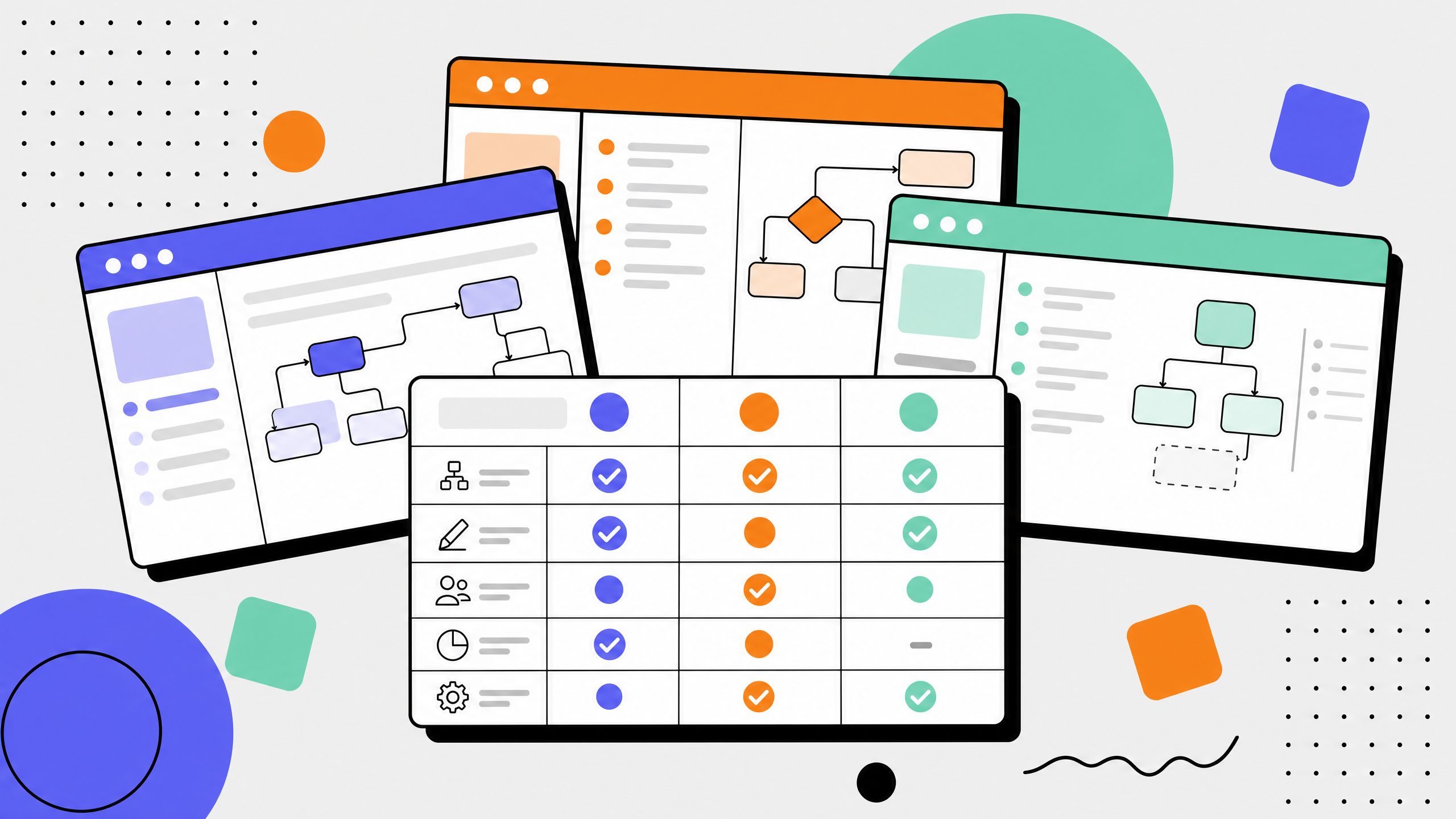
Run this against three to five shortlisted tools. Score each criterion 1 to 5. Add weights only if your team genuinely cares more about one row than another; otherwise treat the rows equally.
Anything below 35 is a no. Anything between 35 and 42 is a workable fit if the cluster of weak rows is not load-bearing. Anything above 42 in your shortlist is a real candidate.
Common mistakes when buying process documentation software
In every buying process I have helped a team run, four mistakes show up over and over. Most of them come from ignoring the boring rows in the rubric above.
Buying for features your team will not use
Roadmap features and AI buzzwords sell well in demos. They do not show up in the day-to-day usage of the people who actually have to write and read the docs. Score the tool on the boring rows: capture quality, editing, search, integrations.
Skipping the integration check
A capture-first tool that does not publish natively to your wiki is a liability. Manual export-and-paste seems fine in week one and is abandoned by week six. Confirm the integration end-to-end during the trial, including what the published artifact looks like in the destination wiki.
Ignoring data portability
Vendor lock-in is the silent year-two cost. Before signing a multi-year contract, confirm the export format. Markdown plus image bundle is the safest. JSON plus images is acceptable. Proprietary format with no export is a hard no.
Anchoring on the incumbent without a real trial
Teams already using Confluence often default to "we will just write SOPs in Confluence." That is a real option. It is also slower and less consistent for procedural content than a capture-first tool. Run a head-to-head trial on the same workflow before defaulting.
Mistake-avoidance takeaways
Focus on fundamentals, not feature lists
Validate integrations during the trial
Don't default without testing
Check export terms before signing
How long should the buying process actually take?
For most teams:
- 2–4 weeks (small teams)
- 4–8 weeks (enterprise)
- A simple process:
- Week 1: define needs and category
- Week 2: shortlist and test tools
- Week 3: evaluate and decide
- Week 4: roll out
- Faster usually means a rushed decision. Longer usually means the team hasn't aligned on the category.
FAQ
What is process documentation software?
Process documentation software is any tool used to create, store, search, and update step-by-step documentation of how a team performs recurring work. The category covers five product types: wiki-style knowledge bases, capture-first SOP tools, process diagramming products, training-delivery platforms, and hybrid suites that combine two or more of those.
What is the best software for documenting processes?
There is no single best tool. The best software for documenting processes depends on the kind of work you are documenting. For click-by-click web app procedures, capture-first tools (Haiku, Scribe, Tango, Whale) are fastest. For policy and decision records, a wiki (Notion, Confluence) is a better fit. For high-level cross-functional flows, a process mapping tool (Lucidchart, Visio) belongs in the stack. Score your shortlist against the ten evaluation criteria above, not against listicle popularity.
What are the 4 types of software documentation?
Software documentation is commonly split into four types: tutorials (learning-oriented), how-to guides (task-oriented), reference (information-oriented), and explanation (understanding-oriented). This is the Diátaxis framework. Process documentation software is most often used for the how-to-guide type, sometimes for reference, and occasionally for tutorials when paired with a training layer.
How much does process documentation software cost?
Most tools price per editor seat, with a smaller fee or free tier for read-only viewers. Per-seat editor pricing in 2026 ranges from $10 to $50 per month for capture-first SOP tools, $5 to $20 per month for wiki tools, $10 to $40 per month for diagramming tools, and $30 to $80 per month for LMS-backed platforms. Expect AI features and audit logs to be gated to higher tiers.
Should I get a free trial or a demo first?
Start with a hands-on free trial on a real workflow you would actually document. Demos sell the marketing surface. Free trials reveal the product. If a vendor will not give you a trial, that is the answer.
How is process documentation software different from a workflow tool?
Process documentation software produces the artifact: a step-by-step doc a person can read and follow. A workflow tool runs the process itself: it routes tasks, sends approvals, and triggers actions. There is overlap (especially in hybrid platforms) but the categories solve different problems. A process doc explains how to do work; a workflow tool does some of the work for you. For more on the documentation side of that distinction, see our guide to workflow documentation software.