Most teams keep losing the same fight with documentation. Someone opens a blank page, writes for an hour, ships a guide that is half right, and the SOP starts going stale the day it gets published. AI process documentation breaks that cycle. Instead of writing from memory, you capture what actually happens and turn it into a structured, editable guide. Writing from scratch becomes the exception, not the default.
Key takeaways
- Writing SOPs from a blank page is slow and unreliable. Capture-first AI documentation removes most of the manual writing work.
- AI process documentation has three parts: capture, AI structuring, and human review. AI handles the busywork. Humans handle accuracy.
- Generic AI tools guess. Capture-first tools (like Haiku, Scribe, and Tango) work from real screens, so they don't invent steps.
- The biggest impact shows up in onboarding, IT support, customer support, and operations workflows.
- AI still needs oversight. Anything published without a human review pass will eventually break.
What this guide covers
This is a practical guide for teams that already know their documentation isn't working, but don't want to spin up a six-week project to fix it.
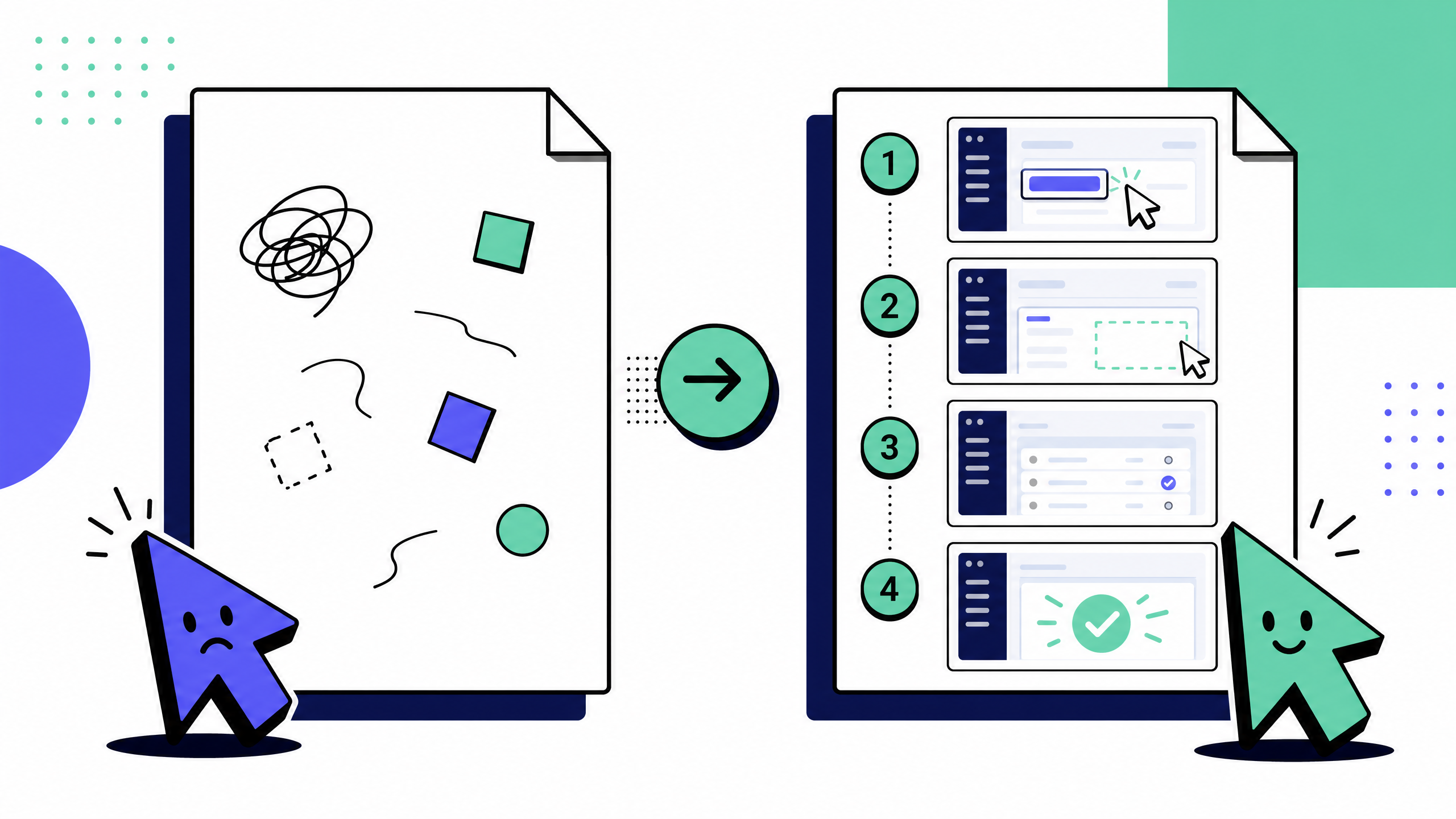
We'll cover:
- What AI process documentation actually is
- Why writing SOPs from scratch keeps failing
- The three documentation models teams use today
- A simple workflow you can run this week
- What to look for in documentation tools
- Where AI still falls short
What is AI process documentation?
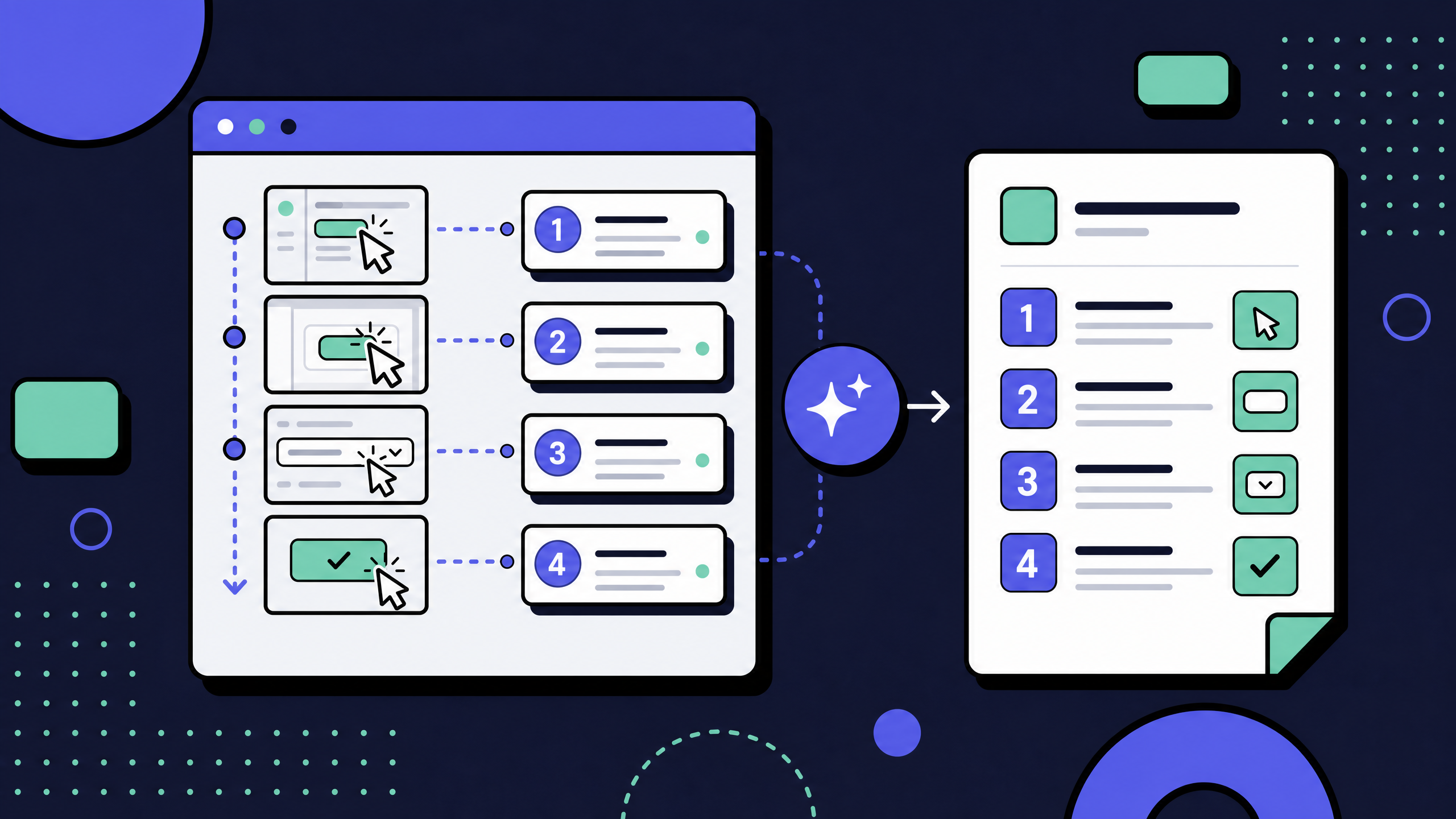
AI process documentation means using AI to create and maintain step-by-step guides, usually by capturing actions as they happen and turning them into structured documentation.
A capture-first AI documentation tool typically combines three things:
- A capture layer that records steps as they happen: clicks, screenshots, URL paths, and form inputs.
- An AI layer that turns those captured steps into clean text, headings, numbered instructions, and screenshots with redactions.
- An editing and publishing layer that lets a human review, correct, and ship the guide to a knowledge base, wiki, or LMS.
The point isn't "AI writes your docs for you." The point is that AI handles the boring 70%, transcribing steps, naming screenshots, structuring the procedure, so a human only does the 30% that requires real judgment.
How AI process documentation differs from traditional SOP writing
Traditional SOP writing starts from memory. You switch between the tool and your document, take screenshots manually, and try to explain everything clearly.
The result depends entirely on:
- How well you remember the process
- How much time you spend writing
- How patient you are that day
- AI process documentation flips that.
- You run the process once → the tool captures it → AI drafts the guide → you edit.
- You're reviewing, not writing from scratch.
How AI process documentation differs from doc-only AI generators
A generic AI documentation generator produces text based on what the model knows about a topic. It can write a plausible-sounding SOP for "how to onboard a new employee in Workday," but it has not actually seen your Workday tenant, your fields, or your organization's specific approval flows. The result reads well and is often subtly wrong.
AI process documentation is grounded in the real UI of the real tool, captured at the moment a real user performed the task. It cannot hallucinate a button that doesn't exist, because it is recording the button.
Why writing documentation from scratch keeps failing
The reason most documentation projects stall isn't a tooling problem. It's a workflow problem. Writing from scratch fights how people actually work.
The blank-page tax
Writing from scratch forces people to:
- Reconstruct a process from memory
- Translate it into instructions for someone else
- That's where steps get skipped.
- What feels “obvious” to the author isn't obvious to a new hire. That's how a 12-step process turns into a confusing 7-step doc.
Drift: SOPs that go stale on day one
A second reason scratch-written docs fail is drift. The UI changes. A field gets renamed. A new approval step gets added. A screenshot now shows a layout that no longer exists. Because traditional SOPs are written once and rarely re-captured, drift compounds. By month three, the doc is more confusing than no doc at all, because readers can't tell which parts are still accurate.
AI process documentation doesn't eliminate drift, but it makes re-capturing the process cheap. If the doc takes 90 seconds to recapture instead of 90 minutes to rewrite, teams actually do it.
The "single author" bottleneck
In most companies, one person owns the documentation backlog. Usually it's a senior IC, a tech lead, or an ops manager, because they are the only person with both the context and the patience to write it. That person is also the most expensive person to put on documentation, and the first to get pulled away when something more urgent comes up. The result is a permanent backlog that grows faster than it shrinks.
Capturing a process while doing it doesn't require the senior IC to "write." It just requires them to do their job once, on the record. From there, anyone can edit and publish.
Section takeaways
- Blank-page writing skips steps that feel obvious to the author but aren't obvious to the reader.
- Drift compounds: by month three, a scratch-written SOP is often more confusing than no SOP at all.
- Documentation work concentrates on the most expensive person in the room, which is exactly why the backlog never shrinks.
Capture-first vs AI-only vs blank-page: three documentation models compared
In 2026, you're choosing between three working models for how documentation gets created. The differences show up less in initial output than in maintenance cost over the next six months.
Blank-page (traditional)
The author opens a doc, writes the procedure manually, takes screenshots manually, and places them manually. Tooling is whatever wiki you already have (Confluence, Notion, Google Docs) plus a screenshot utility.
This model gives the author full control and adds no new tooling cost. It is also extremely slow, drift-heavy, and dependent on the author's writing skill. It tends to skip steps that feel obvious to the author. It works best for explanatory or strategic documentation, not for repeatable step-by-step procedures.
- Full control
- No new tools
- Slow
- Hard to maintain
- Depends on writing skill
AI-only generation
The author writes a prompt, an AI documentation generator returns a draft, and the author edits it. The model has no view of the actual UI; it generates from training data plus the prompt.
This model is fast for generic processes that are well-represented in training data, like "how to set up two-factor authentication on Gmail." It hallucinates steps and invents UI elements when applied to enterprise tools. We've watched teams ship AI-only-generated SOPs internally and then have to recall them when new hires followed the steps and ended up in a different screen than the doc described. AI-only generation is fine for first-draft outlines of well-known public workflows. It isn't safe as a primary source of truth for internal IT, HR, or operations procedures.
- Fast
- Good for generic processes
- Makes things up
- Breaks on internal tools
Capture-first plus AI structuring (the model that actually works)
The author runs the process once with a capture tool active. The capture layer records every step. AI structures the recording into a clean, numbered guide with auto-generated screenshots and step titles. The author edits and publishes.
This model is grounded in the real UI. It's fast to produce, fast to re-capture when the UI changes, and it cuts the writing burden down to "review and correct" instead of "author from scratch." It needs a capture tool, careful redaction practices for screenshots, and works best for procedural content. It is not the right shape for strategy docs or executive narratives.
For most teams asking "how do we document our processes faster?", the capture-first plus AI structuring model is the one that pays back the cost of switching. Tools like Haiku, Scribe, and Tango fall into this category, with meaningful differences in capture quality, AI editing, governance, and integration depth. We cover those tradeoffs in our Scribe alternatives and Tango alternatives comparisons.
Section takeaways
- Blank-page writing gives full author control but loses on speed and drift.
- AI-only generation is fast for public workflows and dangerous for internal ones, because the model invents enterprise UI it has never seen.
- Capture-first plus AI structuring is the model that holds up after month one, because re-capturing a process is cheap.
How to document a process without starting from scratch
Here is a practical authoring flow for capture-first AI process documentation. It's the flow we recommend for IT, ops, and onboarding guides, and it scales from a single SOP to a full SOP library.
Pick a process people repeat regularly
Run it once with capture on (use a clean/test environment)
Let AI generate the draft
Edit for clarity and accuracy
Add ownership and context
Publish to your system (Notion, Confluence, etc.)
Set a reminder to re-capture when things change
Teams running this flow consistently can produce 5 to 10 high-quality SOPs in the time it used to take to write one from scratch.
What to look for in AI process documentation software
If you're evaluating process documentation software in 2026, the category is wider than it was. The criteria below separate tools that produce shippable guides from tools that produce demos.
Capture quality
Capture is the foundation. A bad capture creates extra editing work no AI can fix. Look for accurate detection of clicks, form inputs, and navigation events; clean screenshots scoped to the relevant UI region instead of full-screen blobs; and capture that survives modal dialogs, tabs, iframes, and single-page apps.
AI structuring and redaction
The AI layer turns a raw recording into a usable doc. The features that matter most are step naming (was the step labeled correctly), instruction phrasing (does the prose match your tone), automatic redaction of names, emails, and account numbers in screenshots, and the ability to merge or split steps without breaking the rest of the guide.
Editable, governable outputs
The output has to be a first-class document, not a sealed video. You want full text editing, screenshot editing (annotations, blur, crop), versioning, and an explicit approval workflow if you operate in a regulated environment.
Integrations
A process doc that lives only inside the capture tool is half a product. Confluence, Notion, SharePoint, and major help-desk and LMS systems are the integrations that matter most. If your wiki is the system of record, the capture tool should embed natively, not require a manual export every time
Security and permissions
For internal IT, HR, and finance documentation, security isn't a "nice to have." Look for SSO, role-based access, audit logs, redaction defaults that ship enabled, and a clear data-handling policy for the captured content. If a vendor can't explain what happens to a recording after capture, that's the answer.
Buyer's checklist takeaways
- Capture quality is the foundation. A bad capture creates editing work no AI can clean up.
- Auto-redaction of names, emails, and account numbers should be on by default, not an admin afterthought.
- The output has to be an editable document with versioning, not a sealed video.
- Native Confluence and Notion integration matters more than feature depth if your wiki is the system of record.
- SSO, role-based access, and audit logs are non-negotiable for IT, HR, and finance documentation.
AI process documentation use cases by team
Different teams get value from process documentation for different reasons. The flow is similar; the priorities are not.
IT and MSPs
Internal IT and managed service providers run on runbooks. Password resets, access provisioning, license assignments, mailbox migrations: every recurring ticket is a candidate for a captured, AI-structured procedure. The win is twofold. Tier-1 techs resolve more tickets without escalation, and senior engineers stop being the human knowledge base.
HR and employee onboarding
Onboarding is repetitive and high-volume. Capturing the "how do I set up my benefits in Workday" or "how do I request time off in BambooHR" walkthrough once, then publishing it as a self-serve guide, removes a recurring drain on HR's inbox. It also gives new hires consistent answers regardless of which HR partner they happen to ping that week.
Customer support and knowledge base
Public knowledge base articles benefit from the same capture pattern, with one important difference: redaction has to be airtight, because everything is external. Multi-locale publishing also matters if you serve users outside the US.
Operations and SOPs
Ops teams own the longest tail of procedural docs. Vendor onboarding, invoice processing, monthly close, data hygiene workflows. These are the documents that traditionally never get written, because the senior ops manager is too busy. Capture-first AI process documentation is most cost-effective here.
Where AI process documentation falls short
AI process documentation isn't a magic answer for every documentation problem. A few categories are worth flagging before you commit a budget.
Narrative documentation is the obvious gap. If you need to explain why a system is designed a certain way, write an architecture overview, or document a strategy, capture-first tools have nothing to capture. That work still belongs in a human-authored doc.
Highly variable processes are also weak ground. If a process branches in 12 different ways depending on inputs, a single linear capture won't represent it. You can capture the most common path and document the branches in prose, but the AI will not figure out the decision tree for you.
There's also a real risk with captures that can't be sandboxed. If the only way to perform the process is in production with real customer data, redaction has to be perfect every time. That's a process discipline question, not a tooling question, and getting it wrong has real consequences.
And the obvious one: AI-generated step descriptions are only as good as the model behind them. Edits are mandatory. Anyone shipping AI-drafted SOPs without a human review pass is publishing future incidents.
A practical authoring flow you can run today
If you want to test capture-first AI process documentation this week without a full procurement cycle, here's the smallest viable test.
Pick a single recurring process your team owns that currently lives only in someone's head.
Sign up for a capture-first AI documentation tool with a free tier. Haiku, Scribe, and Tango all offer one.
Run the process once with capture on, in a sandbox account.
Edit the AI-generated draft for ten minutes.
Share the resulting guide with the team and ask the next person who needs the process to use the doc and report back.
The feedback from one cycle will tell you more about which tool fits your team than any comparison spreadsheet.
FAQ
What is AI process documentation?
Using AI (usually combined with capture) to create and maintain step-by-step process documentation instead of writing it manually.
What is the best AI tool for documentation?
Depends on the use case. Capture-first tools like Haiku, Scribe, and Tango work best for SOPs. Writing tools work better for narrative docs.
How does AI automate documentation?
By capturing actions, structuring them into steps, and making updates easier. It reduces manual work but doesn't eliminate review.
AI SOP generator vs documentation automation tool?
Generators create docs from prompts. Automation tools create docs from real actions. The latter is more accurate for internal workflows.
Will AI replace technical writers?
No. It removes repetitive work and shifts writers toward editing, structure, and clarity.