The problem is rarely a missing feature. It is a mismatch between the tool and the people expected to create content with it. A platform that produces beautiful interactive modules but takes a week to update is the wrong fit for a team whose processes change every sprint.
This guide does not rank products. It shows you how to evaluate the category instead: which types of tools exist, what each is built for, and the criteria that separate a good fit from an expensive mistake. For adjacent buying decisions, see our guides on choosing workflow documentation software and IT documentation software.
Key takeaways
- The goal is not to buy the tool with the most features. It is to buy the one your team will still be authoring training content in a year from now.
- "Best tool" lists rank products you cannot evaluate from the outside. The market splits into five tool types, and the right type depends on what your content is and who builds it.
- The features that matter cluster into three jobs: authoring and capture, keeping content current, and delivering plus measuring it in context. Everything else is a tiebreaker.
- Weight the criteria against your real outcomes, then test your top two by rebuilding one real workflow inside a free trial. Demos flatter the marketing surface. A trial reveals the product.
- An interactive module nobody updates is worse than a one-page checklist that is current. Favor tools whose content is cheap to keep accurate over tools that are expensive to build once.
What is interactive employee training content?
Interactive employee training content is training material that asks the learner to do something (click through a real interface, make a decision, branch down a path) rather than just read or watch. The tools in this category are the authoring and delivery software that produce that material: guided walkthroughs, scenario simulations, interactive video, quizzes, and the modules that string them together.
It helps to place the category between two older ones. On one side sits static documentation: the PDF, the wiki page, the slide deck. On the other sits the learning management system, which schedules, assigns, and tracks completion.
Interactive training-content tools live in the middle. They are how the content itself gets built and made responsive to the learner. Some feed an LMS, some run standalone, and some embed directly in the app the employee is learning.
Interactivity matters for one plain reason. People learn a task by doing it more reliably than by reading a description of it, which is the premise of hands-on training. A walkthrough that makes a new hire click the actual "issue refund" button teaches the task in a way a screenshot cannot.
That is the value of the category, and it is also why these tools are harder to evaluate than a document editor: the thing that makes them worth buying is the same thing that makes them expensive to author and maintain.
Why "just tell me the best tool" is the wrong question
Every buyer wants the shortcut: skip the research, name the winner, sign the contract. The trouble is that the winner is not a property of the tool. It is a property of the match between the tool and your team, and no listicle knows your situation.
Consider what a "10 best employee training tools" article can actually rank. It cannot tell you whether your authors can produce content fast enough to keep up with change, or whether your learners will actually use what gets built. Those depend on your content, your team's authoring skills, and where training happens. A tool that fits a large support organization with a stable product can be the wrong choice for a small ops team documenting workflows that change every month.
Teams rarely regret a training tool because it lacked one feature. They regret the authoring burden: the module that took three days to build and another day to update every time the underlying process changed. Fit, not feature count, determines whether a tool succeeds.
So ask a different question: not "What is the best tool?" but "What type of tool fits my content, and which criteria matter most for my team?" The rest of this guide answers that.
The five types of interactive training-content tools
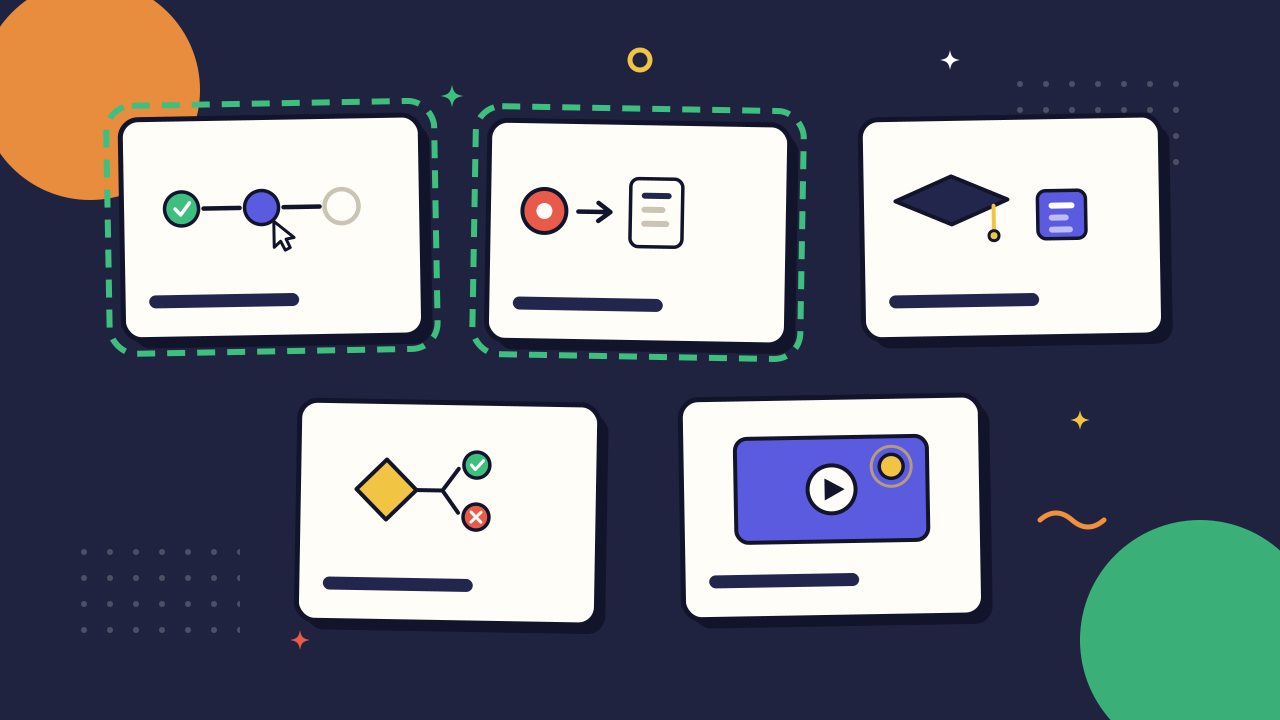
The market looks like chaos until you sort it by the kind of content each tool is built to produce. Do that and it collapses into five types. Most vendors lead with one and bolt the others on, so knowing a tool's center of gravity tells you what it will be good at and where it will fight you.
1. Interactive walkthrough and guide builders. These produce step-by-step guides and in-app tours that walk a learner through a real interface: click here, then here, now do this. They are the fastest route from "someone knows how to do this" to "everyone can follow it," because the content is the software workflow itself, not a description of it.
Scribe and Tango live here, along with a class of capture-first tools that record a task once and generate the guide from the recording. This type shines for software procedures and struggles with conceptual training, where there is no interface to walk through.
2. Screen-capture-to-guide tools. A close cousin, these turn a screen recording into a structured, annotated guide or video, usually with automatic step detection. Guidde, which turns a capture into an AI-narrated video walkthrough, is a common example.
The advantage is speed and accuracy: because the content comes from the actual work rather than from memory, it captures the exceptions and odd clicks a written procedure drops.
The limit is that raw capture is not yet instruction. The good tools make it cheap to trim, annotate, and structure what was captured. The weak ones hand you a raw video and call it training.
3. LMS-native authoring and course suites. Many learning management systems ship with their own content builders. Dedicated authoring suites such as Articulate 360, Adobe Captivate, iSpring, and Elucidat produce polished, SCORM- or xAPI-compliant courses with quizzes, branching, and assessments.
This type is built for structured curricula: compliance training, certification paths, onboarding tracks with completion tracking. The tradeoff is authoring weight. These tools are powerful and slow, rewarding a dedicated instructional designer and punishing the occasional author.
4. Quiz, scenario, and branching builders. These focus on decision-based learning: knowledge checks, branching scenarios, and simulations where the learner's choice changes what happens next. Kahoot and H5P sit at the lighter end, dedicated scenario tools at the heavier end.
Use this type when the skill you are teaching is judgment (handling the angry customer, choosing the right escalation) rather than a fixed sequence of clicks. It is overkill for a task with one correct path.
5. Interactive video tools. These add clickable hotspots, in-video questions, and branching to video, so the learner acts inside the footage instead of watching passively. H5P and interactive-video features inside broader learning and video platforms cover this.
The type earns its keep for demonstrations and soft-skills training where seeing the thing done matters. It carries video production costs, so be honest about how often you will actually re-shoot when the process changes.
This taxonomy sorts the market by content type, not by brand, so you can place any new tool into one of these buckets and immediately understand its strengths. Most teams need two of the five, not all of them.
The features that separate tools you keep from tools you replace
Once you know which tool type you need, compare products on the features that determine whether you'll keep using them. Those features fall into three groups.
Authoring and capture: how content gets made
Capture-first authoring. Can authors create a guide by performing the task while the tool records, or do they have to build every step manually? The easier it is to create content, the more likely your team is to keep creating it. For the underlying method of structuring each procedure, see our seven-step framework for creating SOPs.
Templates and structural consistency. Does the tool enforce a consistent structure so every module looks and behaves the same? Built-in consistency beats standards you have to enforce manually.
Branching and interactivity. How much decision logic do you actually need? Match the tool to your content, not the demo. Most teams need modest branching, not a full simulation engine.
Maintenance: how content stays accurate
Update cost. This is the criterion buyers underestimate most. When the app changes, how much work does it take to update every affected guide? Tools that regenerate from a fresh capture are far cheaper to maintain than hand-built modules.
Versioning and single-source content. Can you update one component and have the change appear everywhere, or do duplicated steps gradually drift apart?
Change detection. Does the tool flag content that is likely outdated, or do you only discover it after someone follows the wrong instructions?
Delivery and adoption: whether it gets used
In-context delivery. Can employees access the training while doing the work, or do they have to leave what they're doing and open a separate course?
Learning analytics. Look beyond completion rates. The most useful analytics show where learners get stuck, replay steps, or fail knowledge checks.
Permissions, ownership, and accessibility. Who owns the content, who can edit it, and does the output meet accessibility standards such as WCAG?
A strong tool performs well across all three areas. One that's easy to author but expensive to maintain eventually fills with outdated content, no matter how impressive it looked in the demo.
How to score interactive training tools: a rubric, not a ranking
A shortlist is not a decision. To choose between two or three strong options, score them against your own outcomes rather than their feature lists.
1. Define the outcome
Write down what success looks like before you look at tools. That might mean faster onboarding, fewer support escalations, or higher compliance completion rates. Every later decision should support that outcome.
2. Weight the criteria
Decide how important authoring, maintenance, and delivery are for your team before watching any demos. Teams with rapidly changing processes should usually weight maintenance highest. Teams building structured certification programs may prioritize authoring capabilities instead.
3. Score what you can verify
Turn each criterion into something you can test. Can a non-specialist build a guide in under an hour? How difficult is it to update after a UI change? Can you see where learners struggle? Avoid vague impressions in favor of observable results.
4. Build something real
Don't judge the product by the vendor's demo. Recreate one real workflow from your business inside a free trial, then make a small change to it and measure how much work the update requires. That exercise reveals far more than any sales presentation.
5. Compare total authorship cost
Don't compare license prices alone. Include the time your team will spend creating and maintaining content over the next year. A tool that saves hours every time a workflow changes often costs less overall than a cheaper product that's expensive to maintain.
That's the entire framework. Because it measures how a tool performs in your environment, not someone else's, it remains useful even as the market changes.
Common mistakes when choosing interactive training tools
Most bad purchases trace back to the same handful of mistakes.
Buying for the author who demos, not the author who builds. The vendor's expert makes the tool look effortless. Your actual authors are a support lead and a part-time ops manager. Evaluate the tool with the people who will actually build the training.
Choosing the tool with the most interactivity. Branching simulations and interactive video are impressive, but most teams do not need them. Over-buying interactivity often leads to one impressive module—and very little content afterward.
Ignoring maintenance costs. Teams focus on how content gets created and forget how it stays current. If you did not test what happens after a process changes, you did not fully evaluate the tool.
Treating the LMS and the authoring tool as one decision. Authoring and delivery are different jobs. Decide how you'll create content first, then evaluate whether you also need an LMS to assign and track it. For onboarding-specific requirements, see how to choose employee onboarding software.
Letting the demo decide. Product demos are sales assets. Free trials show how the product performs in your environment. If you take one lesson from this guide, make it this one.
How AI is changing interactive training content in 2026
AI is reshaping this category from the authoring end first, and the change is real where it lowers the cost of making and maintaining content, not where it promises a course from a prompt.
The biggest shift is capture-to-content. AI can now turn a screen recording or rough narration into a structured, editable guide, dramatically reducing the time it takes to create interactive training.
The same models can draft knowledge checks from a procedure and suggest where branching makes sense. AI handles the repetitive work of transcribing and structuring; people still decide what to teach and whether the result is accurate. For how that plays out across training and knowledge sharing more broadly, see our guide to how AI is changing employee training and knowledge sharing.
Maintenance is where AI matters most. A tool that detects when a captured workflow no longer matches the live interface and regenerates the affected steps solves one of the category's biggest problems: outdated content. Weight this capability heavily when you evaluate tools.
Be skeptical in two places. Generative video and fully synthetic courses still overpromise; they demo better than they perform when the underlying process changes. And AI-generated content is only as good as your review. The fastest way to train 200 people incorrectly is to publish a plausible draft nobody checked.
If your near-term goal is faster onboarding rather than a full training-content rebuild, the better first step may be speeding up onboarding with AI-generated step-by-step guides before you commit to a heavier authoring platform.
Choosing the tool you will still be building in next year
Strip away the feature grids and one question remains: which tool will your team still be building in a year from now? The answer depends less on brand rankings than on whether authoring is easy enough that content gets created, maintenance is easy enough that it stays current, and delivery reaches people where they work.
Name your outcome, weight the three areas against your reality, then rebuild one real workflow inside a trial before you sign anything. Let your messiest workflow be the judge—it will expose weaknesses a polished demo never will.
The best interactive training tool is not the one with the longest feature list. It is the one your team will still be building in when nobody is watching.
FAQ
What are the best tools for creating interactive employee training content?
There is no single best tool, because the right choice depends on your content and your authors. The market falls into five broad categories: interactive walkthrough builders, screen-capture-to-guide tools, LMS-native authoring suites, quiz and branching-scenario builders, and interactive video tools. Start by identifying the one or two categories that fit your use case, then compare specific products on authoring effort, maintenance, and delivery.
Which type of interactive training tool is best for onboarding?
For most onboarding, interactive walkthroughs and screen-capture-to-guide tools are the best fit because they teach employees by guiding them through real workflows. LMS-native authoring suites are a better choice when onboarding includes structured learning paths, compliance training, or certification requirements.
Do I need an LMS or an authoring tool?
They solve different problems, and many teams need both. An authoring tool creates the training content. A learning management system assigns it, tracks completion, and reports on progress. Decide how you want to build content first, then evaluate whether you also need an LMS to deliver and manage it.
What should I test during a free trial?
Rebuild one real workflow your team already uses, then make a small change to it. That shows how quickly authors can create content, how easy it is to keep that content up to date, and whether the tool fits your team's actual way of working. A hands-on trial reveals far more than a polished product demo.
How much do interactive training tools cost?
Pricing ranges from free tiers for simple guide-capture tools to per-author or per-learner licensing for enterprise course-authoring suites. More important than the license cost is the cost of authorship: the time your team spends creating and maintaining content. A cheaper tool that takes hours to update can cost more over time than a more expensive tool that is easy to maintain.
Can AI create interactive training content?
AI can turn a screen recording or rough narration into a structured, editable guide, generate knowledge checks, and help keep content current. It is strongest at speeding up authoring and maintenance, but it still needs human review to ensure the training is accurate and appropriate.
How often should training content be updated?
Update training whenever the underlying workflow, software, or policy changes, and review it on a cadence that reflects how quickly those changes happen. Training that is expensive to update tends to become outdated, which is why maintenance should be a core consideration when choosing a tool.