
Paste in a script and an avatar reads it back in eight languages. Then you try your own content, and the tool answers a different problem than the one you actually have.
That is because “AI video creation software” is not one product. It covers four different jobs: generating footage from text, creating AI presenters, generating voiceovers and dubbing, and speeding up edits to footage you already have. The best tool depends on which of those jobs you need to do.
This guide explains those four categories, the features that matter, and how to choose the right one for your work.
Key takeaways
- "AI video creation software" is a label over four different jobs: text-to-video generation, AI avatars and presenters, AI voiceover and dubbing, and AI-assisted editing of real footage. The tools that lead each one are mostly separate products.
- The goal is not to buy the most capable AI video tool. It is to buy the one that does your specific job well enough to put your name on the output.
- The features that decide fit are rarely the ones in the demo: editability after generation, language and voice range, brand and data controls, and how the pricing meters your real usage.
- Category predicts fit better than brand. Match the four categories to your output and audience first, then compare products inside the one category that fits.
- Test on your own script and footage, not the vendor's reel. A demo shows the tool's best case; your content shows yours.
What Is AI Video Creation Software?
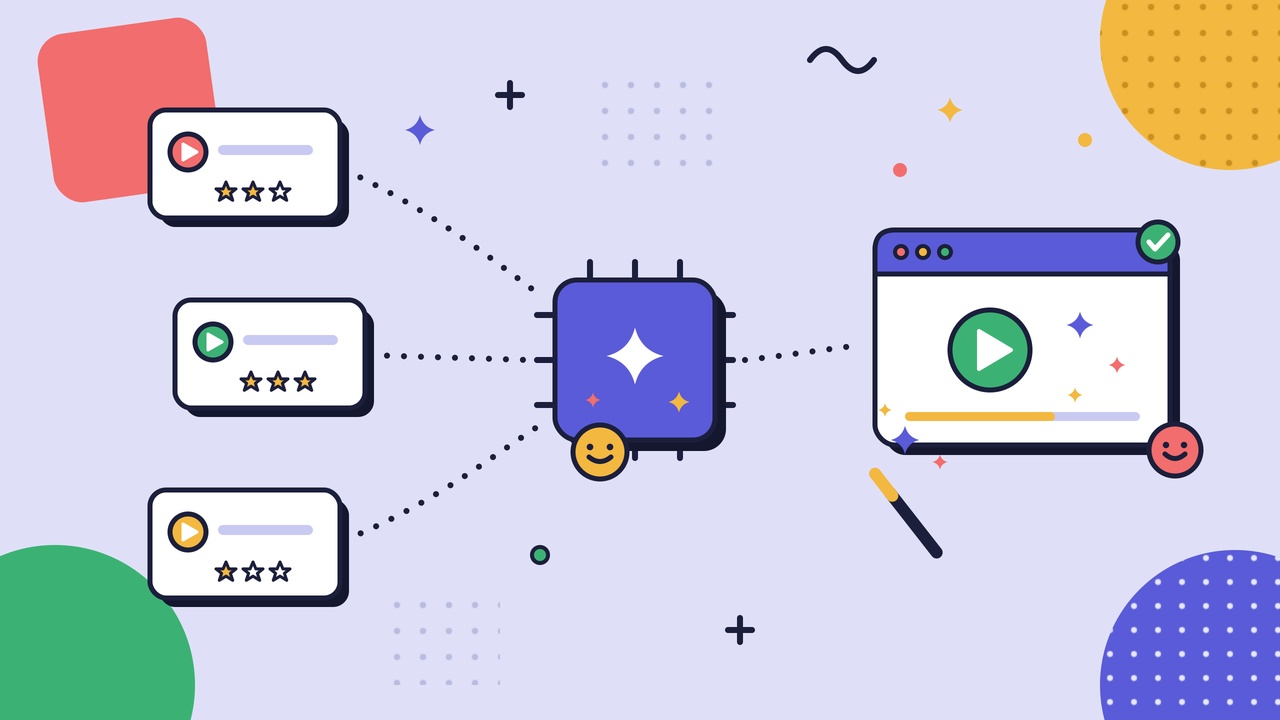
AI video creation software is any tool that uses AI to generate or assemble video from text prompts, scripts, slides, synthetic presenters, or cloned voices instead of filming and editing every frame by hand. In practice, the label covers four different capabilities that usually ship as separate products.
The first turns a written prompt into original footage. The second puts a synthetic presenter, an avatar, on screen to read a script you type. The third generates or clones a voice for narration and translates it into other languages. The fourth leaves your real footage alone and uses AI to speed up editing by cutting silences, stripping filler words, and letting you edit the video by editing its transcript.
Most buyers think “AI video” is one thing they’re shopping for. It is really four adjacent markets that happen to share a marketing phrase. A tool that creates a striking 30-second product concept from a sentence may be useless for producing a localized onboarding module, and the reverse is just as true. Identifying which of those four jobs you need to solve is the real decision.
The category is wide. Your use case is narrow. The work is fitting one to the other.
Key Features of AI Video Software
The demo sells you on the headline trick: the avatar, the sentence that becomes a clip. The features that decide whether a tool survives contact with your real work are quieter. These are the ones worth scoring.
- Output quality and control. Two questions matter more than raw resolution: how consistent is the output across takes, and how far can you direct it? Text-to-video that reinvents a character's face between shots, or an avatar you cannot stop from over-gesturing, impresses once and fails the moment you need a specific result.
- Editability after generation. The expensive question. If a stakeholder wants one word changed in minute three, can you fix that line, or do you regenerate the whole video and lose everything else? Transcript-based and scene-based editors let you change a sentence in seconds. Prompt-only generators make you re-roll and hope.
- Voices, languages, and dubbing. If you serve more than one market, count the languages that actually sound native, not the languages on the pricing page. Check lip-sync on avatars, whether a voice carries the right tone for your content (a warm welcome and a safety warning are not the same read), and whether you can clone an approved voice with consent.
- Avatars and likeness rights. Stock avatars are fast and legally simple. A custom avatar of a real employee or executive raises consent, likeness, and "what happens when they leave" questions that belong in the contract, not in an afterthought.
- Brand and template controls. Fonts, colors, logos, lower-thirds, intro and outro templates. For anything customer-facing or produced at volume, the ability to lock a brand kit is the difference between a library and a mess.
- Input flexibility. Can the tool start from what you already have: a script, a slide deck, a blog post, an existing recording? Tools that only accept a blank prompt make you do more work, not less.
- Data, privacy, and governance. Where do your scripts and footage go, is your content used to train the vendor's models, and who on your team is cleared to publish? For regulated teams this gates the purchase; it is not a nice-to-have.
- Pricing that matches your usage. AI video is metered in more ways than seats: minutes of export, generation credits, resolution tiers, and watermarks on lower plans. A tool that is cheap per seat can be expensive per finished minute. Price the way you will actually use it.
Score the two or three features that would sink your job if the tool got them wrong, and let the rest go. A tool that nails your must-haves beats a tool with a longer feature list.
Comparing AI Video Creation Tools
Skip the ranked list. “The 15 best AI video tools” goes stale the week it publishes because many of the products do different jobs. Compare by category first. There are four, and each answers a different question.
Text-to-video generators. These turn a prompt or rough script into original footage. Runway, Pika, Google’s Veo, and OpenAI’s Sora lead this category. They work best for concepts, B-roll, abstract visuals, and short social clips where novelty matters more than precision. They struggle with continuity and control, so keeping the same product or character consistent across multiple shots is difficult. Choose this category when “close enough” is good enough.
AI avatar and presenter tools. These put a synthetic presenter on screen to read your script. Synthesia, HeyGen, and D-ID lead here. Their strength is producing talking-head videos quickly, in multiple languages, without filming or reshooting. Their weakness is authenticity. They work well for internal training, policy updates, and explainers, but are less convincing when a real person matters. Choose this category when consistency and scale matter more than having a real presenter.
AI voiceover and dubbing. These generate narration or translate and dub existing video. ElevenLabs, Descript’s voice tools, and HeyGen’s dubbing features are strong options. They excel at fast narration and localization. The main limitation is consent: cloning a real person’s voice requires clear approval and governance. Choose this category when the audio is the product.
AI-assisted editing tools. These don’t generate video. They speed up editing footage you already have. Descript, CapCut, and Adobe’s AI features remove filler words, generate captions, and let you edit video through its transcript. The advantage is keeping real people and real footage while cutting editing time. The limitation is obvious: you still have to record the source material. Choose this category when your bottleneck is editing, not filming.
The useful question is not which tool has the most AI. It is which of these four jobs you need to solve. Get the category right and the shortlist becomes much smaller. Video is not always the right format, either. For when a written procedure is the better choice, see where video earns its place against the written manual.
AI Video Software Use Cases
The four categories map onto a handful of jobs teams buy for. Naming yours narrows the field fast.
- Marketing and social content. Short concept clips, ads, and social video where novelty and speed matter more than exactness. Text-to-video and avatars both play here.
- Localized training and explainers. One script, many languages, updated without a reshoot. Avatars plus dubbing carry this: a compliance module or product explainer produced once and localized for every market.
- Editing real footage at scale. Webinars, interviews, screen recordings, and course videos where the raw material already exists and the cost is the edit. AI-assisted editing turns hours of cutting into minutes and keeps real people on screen.
- Personalized and at-scale video. Sales and onboarding video generated per recipient or per role from a template, where filming each variant individually would never be worth the time.
Notice the split: the first two jobs lean on generating something that was never filmed, and the last two lean on doing more with footage that was. Which side you are on decides most of the shortlist.
Keep the training use cases honest, though. A synthetic presenter reading a script is not the same as capturing how the work is actually done, and for process and how-to content the second is often what people need.
When your "AI video" need is really an onboarding or training-content decision, it is worth treating it as one: see our guide to choosing interactive employee training tools, and for the wider shift, our overview of how AI is reshaping employee training and knowledge sharing.
Choosing the Best AI Video Creation Software
“The best AI video creation software” has no universal answer because the best tool depends on the job. A repeatable evaluation process beats a ranked list. Here is one that works across use cases.
- Start with the output, not the tool. Define the video you need to produce, who it’s for, how often it changes, and what “good enough to publish” means. A localized safety module and a social teaser have almost nothing in common beyond the word video.
- Match the category to the job. Map your use case to one of the four categories before opening a product page. If you need updatable training in eight languages, you’re shopping for avatars and dubbing, not text-to-video.
- Score the two or three deal-breakers. Pick the handful of features that would sink the purchase if the tool got them wrong, such as editability, language support, brand controls, or data terms, and ignore the rest. Feature count is not fit.
- Pilot with your own content. Test your real scripts, footage, and branding. A vendor’s demo reel is designed to look perfect; your own material predicts your actual results.
- Read the consent and data terms. For avatars and voice cloning especially, know whose likeness and voice you can use, what happens when that person leaves, and whether your content trains the vendor’s models.
- Price it the way you’ll use it. Model a real month of exports, languages, seats, and resolution. The cheapest subscription can become the most expensive finished minute.
The goal is not to buy the most capable AI video tool. It is to buy the one that does your job well enough to put your name on the output. Capability you never use is not a feature; it is a line on the invoice.
The same evaluation process applies to documentation software. See our guide to choosing workflow documentation software for your team. If your interest in AI video is really about documenting processes rather than creating marketing content, see our overview of AI-assisted process documentation and its ROI.
Future of AI Video Tools
The category moves fast, so treat any specific claim as perishable. The durable shifts are these.
- Avatars and real-time generation keep getting more convincing. Synthetic presenters are crossing from clearly fake to briefly believable, and generation is getting fast enough to approach real time. The buying implication is not “wait for it to be perfect.” It is that a category you ruled out last year may fit this year. Re-test rather than assume.
- One input, many outputs. The clearer direction is a single source, a script or a captured session, producing several outputs at once: the video, its localized versions, captions, and a transcript. The choice between formats collapses into a rendering decision made after the fact rather than a production decision made up front.
- Personalization at scale. Video generated per viewer, per role, or per account is getting cheap enough to be routine for onboarding and sales, where filming each variant was never viable.
- Governance and authenticity move to the front. This is the trend that matters most and gets the least demo time. As synthetic video gets more convincing, provenance, disclosure, watermarking, and consent stop being legal footnotes and become buying criteria. Content-provenance standards and visible AI disclosure are arriving, and regulated teams will need to prove what is synthetic and who approved the likeness.
If your worry is that AI video looks fake or is not ready for your use case, that worry is well placed for some jobs and outdated for others. A synthetic avatar is ready for an internal policy update and not ready to carry your CEO’s earnings message. Readiness has no single answer; it has a per-use-case answer, which is the same answer as everything else in this guide.
The tools will keep getting more convincing every quarter. The buyer’s job will not change: name the output, match the category, test on your own work, and know exactly where a synthetic video is the wrong answer. The best AI video software is not the most advanced one on the market. It is the one you can stand behind after the demo is over.
FAQ
What is AI video creation software?
AI video creation software uses AI to generate or assemble video, from text prompts, scripts, synthetic avatars, or cloned voices, instead of filming and editing by hand. The term covers four distinct jobs: generating footage from a prompt, putting an AI presenter on screen, creating voiceover and dubbing, and speeding up the editing of real footage.
Can AI create a video from text?
Yes. Text-to-video generators such as Runway, Pika, Veo, and Sora turn a written prompt into original footage, and avatar tools turn a typed script into presenter-led video. Both work well for short or templated content, and both still struggle with precise control and long, complex sequences.
What is the best AI video creation software?
There is no single best tool, because the category covers four different jobs. The right choice depends on whether you need generated footage, a synthetic presenter, voiceover and dubbing, or faster editing of real video. Name the job first, then compare products inside that one category.
Is there free AI video creation software?
Many tools offer free tiers, but they usually cap export minutes, limit resolution, and add a watermark. Free plans are useful for testing whether a category fits your job. For anything customer-facing, price the paid tier the way you will actually use it, by exported minutes and languages, not just by seats.
Do AI-generated videos look real?
It depends on the type. AI-assisted editing keeps real footage and real people, so it looks exactly as real as what you recorded. Synthetic avatars and text-to-video have improved fast but can still read as slightly off, which is fine for internal or informational content and riskier where the audience needs to trust that a real human is speaking.
What is the difference between an AI video generator and an AI avatar tool?
A text-to-video generator creates original footage from a prompt, with no specified presenter. An AI avatar tool puts a synthetic person on screen to read a script you write. Generators are for imagery and concept; avatars are for talking-head video at scale, especially across languages.
Is it legal to use AI avatars and cloned voices?
Using stock avatars and licensed synthetic voices is generally straightforward. Cloning a specific person's face or voice requires their consent and clear terms, especially for employees or executives, including what happens to that likeness after they leave. Confirm consent, usage rights, and data handling before you build a library on top of any tool.