By then the documentation is a race against the calendar, written from memory, missing the three exceptions that only live in that person's head.
Here is the part almost everyone gets backwards. A task you run forty times a month is not a chore to survive. It is a specification you keep re-deriving by hand.
The steps are already fixed. The inputs are already known. The only thing missing is a written record, and the written record is the exact artifact you would hand an engineer, a bot, or an AI to take the work off your plate for good.
So the thesis of this guide is narrow and, I think, freeing. You don't automate a task. You automate its documentation.
Everything below is about capturing recurring work cheaply enough that documenting it stops feeling like a tax, and about reading that documentation to see which tasks are ready to stop being manual.
For the step-by-step method of authoring any single procedure, see our seven-step framework for creating SOPs. This guide is about the tasks you run so often that writing each one from scratch feels absurd, and about the payoff hiding in the write-up.
Key takeaways
- Recurring tasks are the cheapest work to document and the most expensive to leave in one person's head. Frequency is what makes the math obvious: a 20-minute task run 40 times a month is more than 13 hours of undocumented process.
- Capture beats recall. Recording a task while you do it takes 8–15 minutes; writing the same procedure from memory takes 90–120 and still misses the exceptions.
- A documented repetitive task is a half-built automation. The documentation is the specification an engineer, an RPA bot, or an AI agent needs to run it without you.
- Not every recurring task should be automated. Score by frequency, volume, rule-stability, and exception rate, then automate the top of the list and leave judgment-heavy work documented but human.
- The payoff of documenting recurring work is SOP automation: the write-up you produce to survive a handoff becomes the blueprint that removes the handoff entirely.

Why repetitive tasks need documentation
Start with the frequency math, because it is the only argument you need.
Take a task that runs 40 times a month and takes 20 minutes each time. That is 13 hours a month of process that exists nowhere but in the hands of whoever happens to do it.
Multiply across a back-office team and you are carrying hundreds of hours of undocumented, unrepeatable work that walks out the door with every departure, every vacation, every reorg.
The usual defense of documentation is continuity: write it down so the work survives the person. True, and worth one sentence. But continuity undersells recurring work badly. A one-off task documented for continuity is insurance you hope never to use. A repetitive task documented well is raw material you will use every single time the task runs, and eventually the raw material that lets you stop running it manually at all.
Now the objection, because it is the honest one.
Documenting every repetitive task is itself a repetitive task, so where does the overhead end? It ends where capture ends. The reason documentation feels like a tax is that most people write it, from memory, after the fact.
Capture the task while you do it and the cost collapses to single-digit minutes. More importantly, the document you produce pays you back twice: once as a training asset a new hire can follow, and again as the spec that reveals what you can automate.
That is the reframe worth holding onto through the rest of this guide. Documentation of recurring work is not a competitor to automation or a consolation prize for teams that cannot afford it. It is the first step of automation, done in advance, whether or not you knew that was what you were doing.
Types of tasks worth documenting
Not all recurring work is the same shape, and the shape decides what you do with it. Sort your recurring workflows on two axes: how often they run, and how stable their steps are.
Frequency tells you whether documentation pays off. Stability tells you whether automation is on the table.
That gives you three practical buckets.
High-frequency, stable, rules-based. Month-end reporting, invoice processing, data entry and reconciliation. The steps rarely change, the inputs are structured, and judgment is minimal.
These are your operations processes in the truest sense, and they are the archetypal automation candidates. Document them first, because the documentation will do double duty as the automation spec.
High-frequency, judgment-heavy. Handling the invoice that does not match the PO, the reconciliation that will not tie out, the customer exception nobody anticipated.
These run often but hinge on a human decision. Document the decision criteria and the common branches, but expect these to stay human even after the surrounding steps get automated. The exceptions are where the judgment lives.
Low-frequency, high-stakes. The quarterly board pack, the annual audit prep, the year-end true-up. They run a handful of times a year, so the automation math is weak, but a single missed step is expensive and the person who did it last time may be gone.
Document these for continuity and to compress relearning, not to automate.
Take month-end reporting as the running example. On the surface it runs twelve times a year, which sounds low-frequency. Open it up and it is a stack of recurring workflows: a daily revenue pull, a weekly reconciliation, a set of variance checks, a report assembly step. Each sub-task is high-frequency and mostly rules-based.
The lesson is to document at the level where the repetition actually lives. "Close the books" is not the unit. "Pull the revenue extract, filter these three accounts, reconcile against the bank feed" is the unit, and it is the unit an automation would eventually own.
Documentation methods that don't feel like a tax
The method matters more than the template, because the method is what makes the overhead objection go away.
The wrong way is the default way: sit down, try to remember every step, and write it out in prose. That is the 90-to-120-minute path, and it reliably drops the steps you do on autopilot, which are exactly the steps a new hire or a bot will trip on.
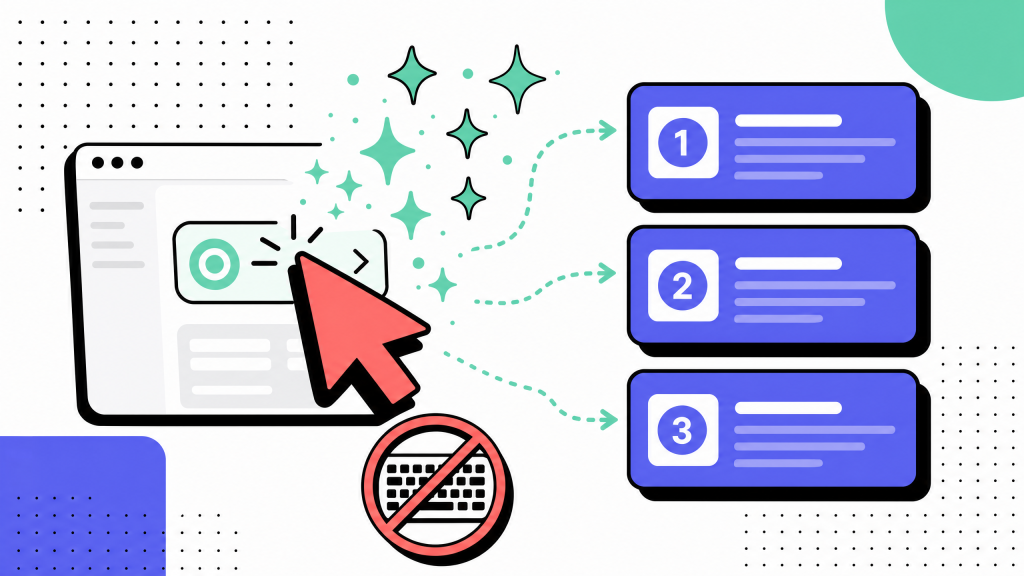
The right way is to capture the task the next time it runs, while you run it. Record the screen, narrate what you are doing and why, and let the record carry the exceptions you would never think to write down.
This is capturing a workflow without typing it out, and for recurring tasks it changes the economics: 8–15 minutes of capture against 90–120 of writing. Capture, not recall. Do it five times over and you have documented five workflows in the time the memory approach would have spent on one, and yours will still be accurate because they came from the work rather than from a story about the work.
Whatever you capture with, give a repetitive task a consistent shape so the write-up stays legible to the next reader and to whatever automates it later. Six blocks are enough:
- Trigger: what starts the task. "The 1st business day of the month," "an invoice lands in the shared inbox." Automation reads this as the event to listen for.
- Frequency and volume: how often, and how many. "Weekly, ~200 invoices." This is the number that decides automation priority.
- Inputs: the exact files, systems, and fields the task consumes.
- Steps, from the operator's point of view: written for the person who has never done it, not the person who already knows.
- Outputs: what exists when the task is done, and where it lands.
- Exceptions: the branches. This block is where the real value hides; it is also the block memory-written docs always miss.
Do not rebuild the general authoring method here; the seven-step framework for building a procedure already covers how to structure and test a single SOP, and there is no reason to re-derive it per task.
What is specific to repetitive work is the frequency and volume metadata and the exceptions block. Those two are what turn a procedure into an automation spec.
Automation opportunities hiding in your documentation
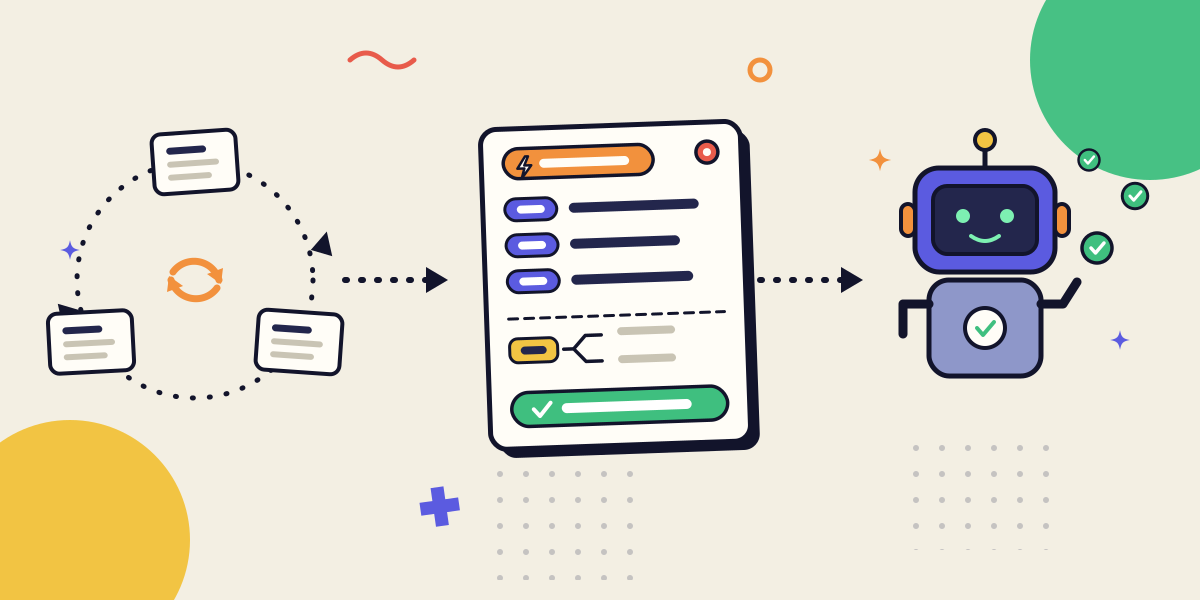
This is the payoff, and it is worth being precise about the mechanism. When you document a repetitive task well, you have not written a description of the work. You have written a specification for it: the trigger, the inputs, the deterministic steps, the outputs, the exception branches.
That is the same artifact an engineer asks for before writing a script, an RPA tool needs before it can run a flow, and an AI agent needs before it can execute reliably. The documentation is the spec. You don't automate a task; you automate its documentation.
Which means the question is never "should we automate this whole category." It is "which of the tasks we have already documented are ready." Score each documented task on four things:
- Frequency and volume; how much manual time it actually consumes. High volume moves it up the list.
- Rule stability; how often the steps change. Stable steps automate cleanly; steps that shift with every UI update or policy change do not.
- Exception rate; what fraction of runs hit a branch that needs a human. A task that is 95% deterministic and 5% judgment is a great candidate for automating the 95% and routing the rest to a person. A task that is 50% exceptions is not.
- Input structure; whether the inputs arrive in a consistent, machine-readable form.
Invoice processing usually tops this kind of list: high volume, stable steps, structured inputs, a manageable exception rate. Month-end variance analysis usually does not, because the interesting part is the judgment about why a number moved.
Documenting both told you which was which. That is the point. The documentation is the diagnostic.
The time savings on the tasks that do qualify are the reason this matters. Rules-based, high-volume back-office work is where automation returns the clearest hours, and the tasks at the top of your scored list are precisely that work.
The gating factor is almost never the automation technology. It is having a specification clean enough to automate against, which is the thing your documentation already is.
AI widens the funnel here, and it does so from both ends. It lowers the cost of producing the spec, and it raises the ceiling on what counts as automatable, because an AI agent can handle looser inputs and more branches than a rigid script.
For where that is heading and what it returns, see the ROI case for AI-assisted process documentation; for the shift in how the underlying procedures get produced in the first place, see how AI is changing the way SOPs get made.
Both are the reason a task you would have called "too messy to automate" two years ago belongs back on the scored list today.
Templates and examples you can copy
Use one capture template for every recurring task and resist the urge to invent variations. Consistency is what lets a reader, and later an automation, know where to look.
Here is the six-block template as a fill-in, followed by a worked example so the shape is concrete.
Recurring-task capture template
- Task and trigger: [what the task is; what event starts it]
- Frequency and volume: [how often it runs; how many items per run]
- Inputs: [files, systems, fields, credentials the task consumes]
- Steps (operator's point of view): [numbered, written for someone doing it the first time]
- Outputs: [what exists when it is done, and where it lands]
- Exceptions: [the branches, and what to do at each]
- Automation readiness: [frequency/volume · rule stability · exception rate · input structure → candidate or not]
Worked example — invoice processing
- Task and trigger: Process a vendor invoice for payment. Triggered when an invoice arrives in the AP shared inbox.
- Frequency and volume: Continuous; roughly 200 invoices per week.
- Inputs: Invoice PDF, the matching purchase order, the vendor record in the ERP, the AP coding rules.
- Steps: 1) Open the invoice and confirm the vendor exists in the ERP. 2) Match invoice line items to the PO. 3) Code to the correct GL account. 4) Route to the approver for the amount tier. 5) Once approved, schedule payment per terms.
- Outputs: An approved, coded invoice queued for payment; the PO marked received.
- Exceptions: No matching PO → hold and email the requester. Amount over PO tolerance → escalate to the manager. New vendor → run the vendor-setup sub-task first.
- Automation readiness: High volume, stable steps, structured inputs, exceptions well under 20% → strong candidate. Automate the match-code-route path; keep the no-PO and over-tolerance branches human.
Notice what the readiness block did. It read the four scoring criteria straight off the rest of the template. That is the whole trick: document the task properly and the automation assessment falls out of the write-up rather than requiring a separate analysis.
For write-ups meant to outlive the tools they describe, structure the steps so an interface change does not silently break the doc. Reusable SOP template patterns cover how to build procedures that survive UI changes, which matters most for the recurring tasks you will read hundreds of times.
From documentation to automation
Repetitive work traps teams because the cost is invisible. No single run of a 20-minute task feels expensive, so nobody writes it down, and the process quietly compounds into hundreds of hours living in a handful of heads. Capture breaks that quietly too. Recording a task while you run it costs single-digit minutes and produces something better than a survival document.
It produces a specification. And once you see the documentation as a spec rather than a chore, the whole pipeline snaps into focus: a task done many times, captured once, read to find what is ready, then handed off to a bot or an agent to run without you. Document the tasks you run most, score them honestly, and automate from the top down.
A repetitive task you have documented is a repetitive task you have half-automated. The rest is wiring.
FAQ
How do you document a repetitive task?
Capture it while you run it rather than writing it from memory. Record the screen and narrate the steps the next time the task comes up, then organize the result into six blocks: trigger, frequency and volume, inputs, operator-point-of-view steps, outputs, and exceptions. Capture takes 8–15 minutes against 90–120 for writing, and it catches the autopilot steps and edge cases that memory drops.
What is the difference between documenting a task and automating it?
Documentation is the specification; automation is a system executing that specification. Documenting a task means writing down its trigger, steps, inputs, outputs, and exceptions clearly enough that another person could run it. Automation means an engineer, an RPA tool, or an AI agent runs it from that same description. You cannot reliably automate a task you have not first specified, which is why the documentation comes first.
Which repetitive tasks should you automate first?
Score each documented task on four things: how much manual time it consumes, how stable its steps are, what fraction of runs hit an exception, and whether the inputs are structured. High-volume, stable, low-exception, structured-input tasks such as invoice processing and reconciliation belong at the top. Judgment-heavy work stays human even when the steps around it get automated.
Is documenting repetitive tasks worth the time?
Yes, and the frequency is what tips the math. A 20-minute task run 40 times a month is more than 13 hours of process living in one person's head. Capturing it costs minutes, protects you against the person leaving, and doubles as the specification you need to automate the work away. The overhead objection only holds when you write from memory instead of capturing.
How often should you update documentation for recurring tasks?
Update it when the task changes, and review it on a cadence tied to how often the underlying tools change rather than the calendar. Recurring tasks are read constantly, so drift is caught fast if the doc is findable. Structuring steps to survive interface changes reduces how often an update is even needed.
Can AI document repetitive tasks for you?
AI can turn a screen recording or a rough narration into a structured draft, which lowers the capture cost further, and it widens what counts as automatable because an agent can tolerate looser inputs and more branches than a rigid script. A human still owns the exceptions and the final judgment about what to automate.
What is SOP automation?
SOP automation is the point where a documented procedure stops being a reference and starts being executed by a system. The standard operating procedure supplies the trigger, steps, and rules; a script, bot, or AI agent runs them. It is the payoff of documenting recurring work well: the write-up you produced to survive a handoff becomes the blueprint that removes the manual handoff entirely.